Connect, import or add a position
Connect a supported brokerage account, import a CSV or Excel file, or enter trades yourself. The options import preview lets you review contract details, premiums and quantities before saving.
Follow P&L, premium income and the full wheel lifecycle across your positions. See the risk you're carrying, then test your next trade against changes in price, time and volatility.
14-day free trial. No card required.
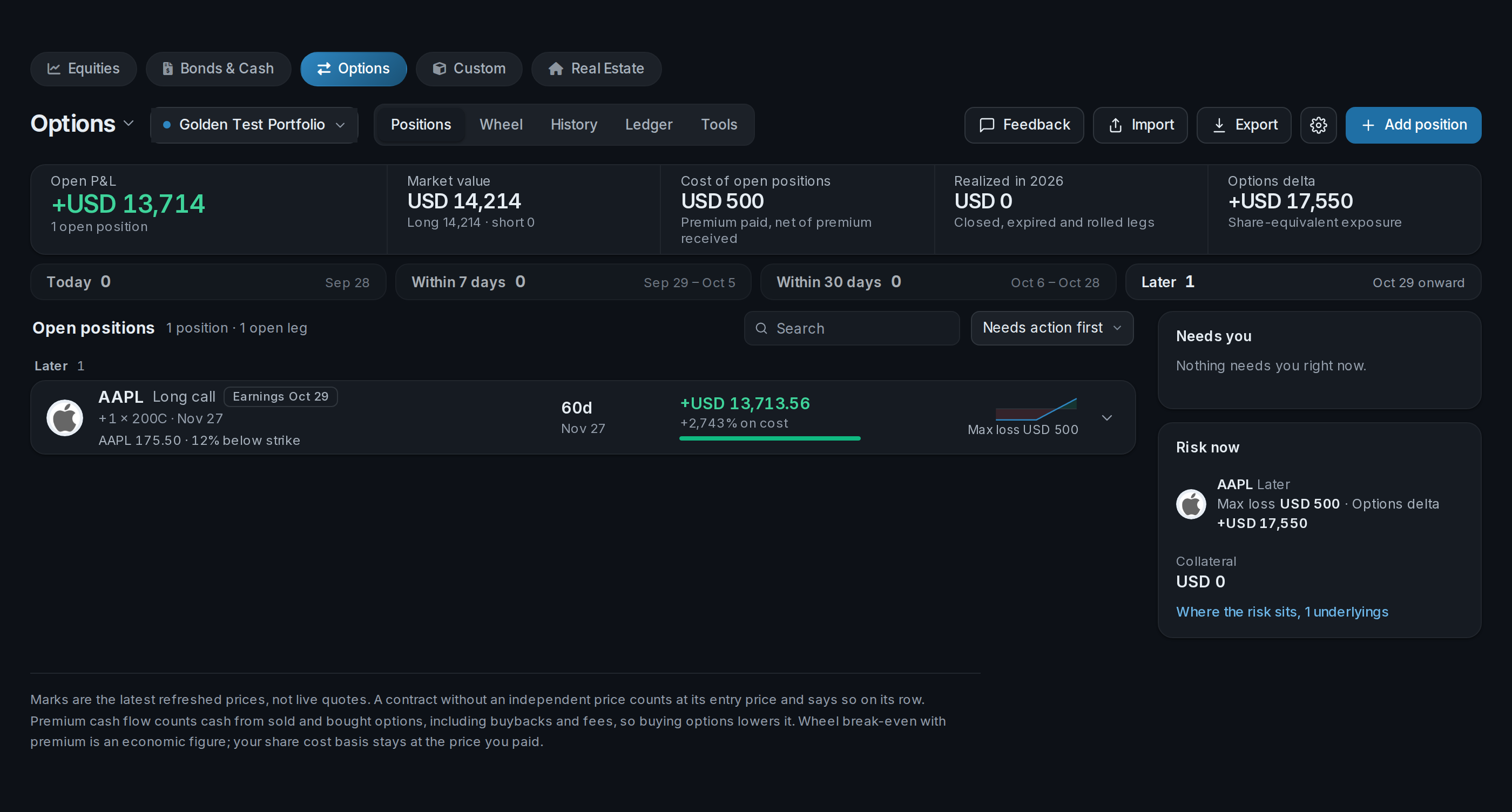
Keep open positions, P&L and upcoming expiries together. Portfolio Greeks show how your book responds to price moves, time decay and volatility, while trade results show what's working.
 AllInvestViewOptions dashboard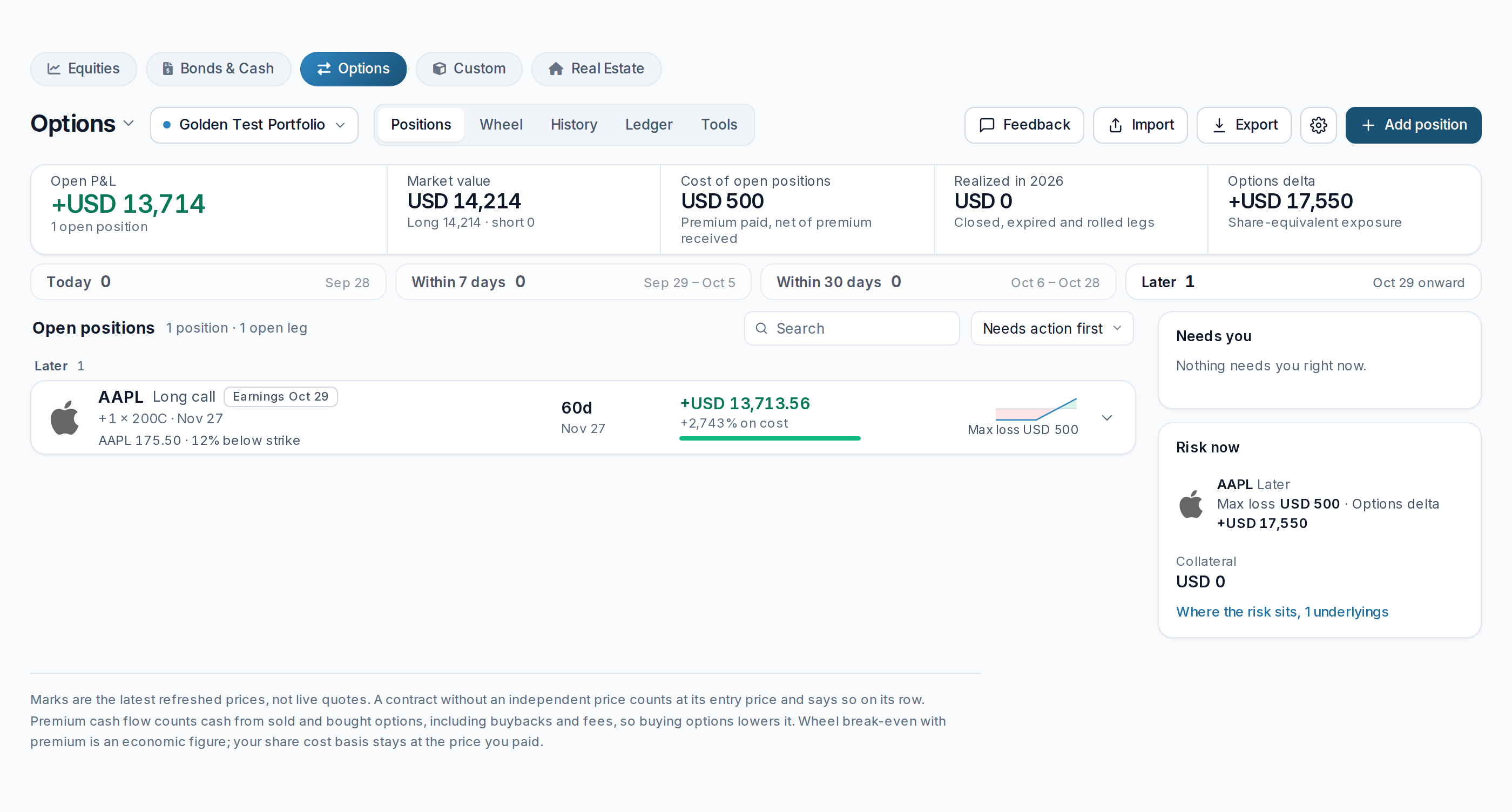
Bring your broker history or spreadsheet into AllInvestView and keep tracking from there. Open positions and past trades belong in the same book.
Connect a supported brokerage account, import a CSV or Excel file, or enter trades yourself. The options import preview lets you review contract details, premiums and quantities before saving.
Review your open positions together, follow collected premiums and keep the next expiration in view. Return to trade history to see how closed positions turned out.
Build a strategy and explore its payoff, then see how changes in price, time and volatility affect your options book.
See strikes, expirations, premiums and quantities together in an editable preview. Bring in your earlier trades as well as the positions you're holding today.
AllInvestViewOptions import preview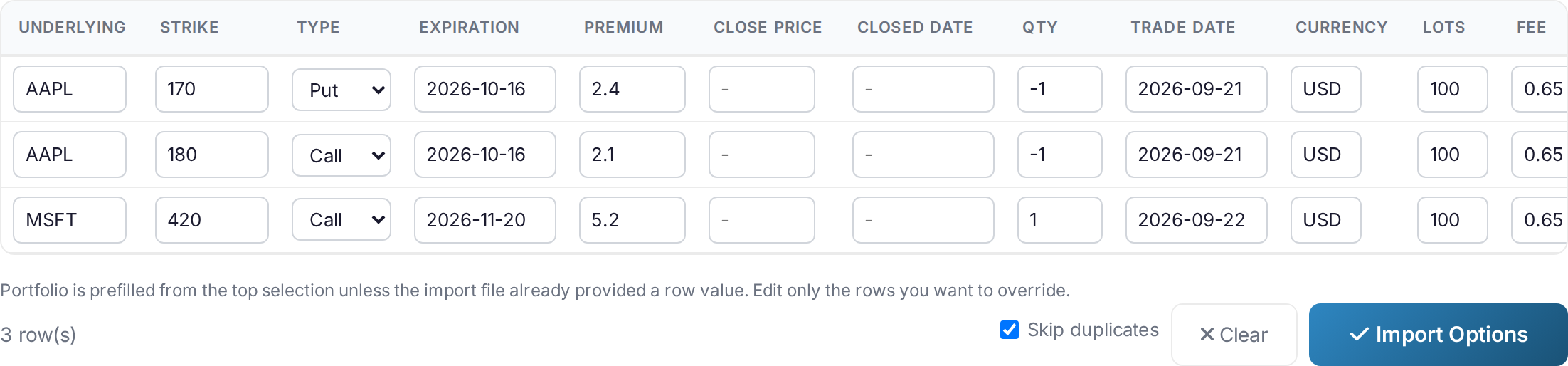
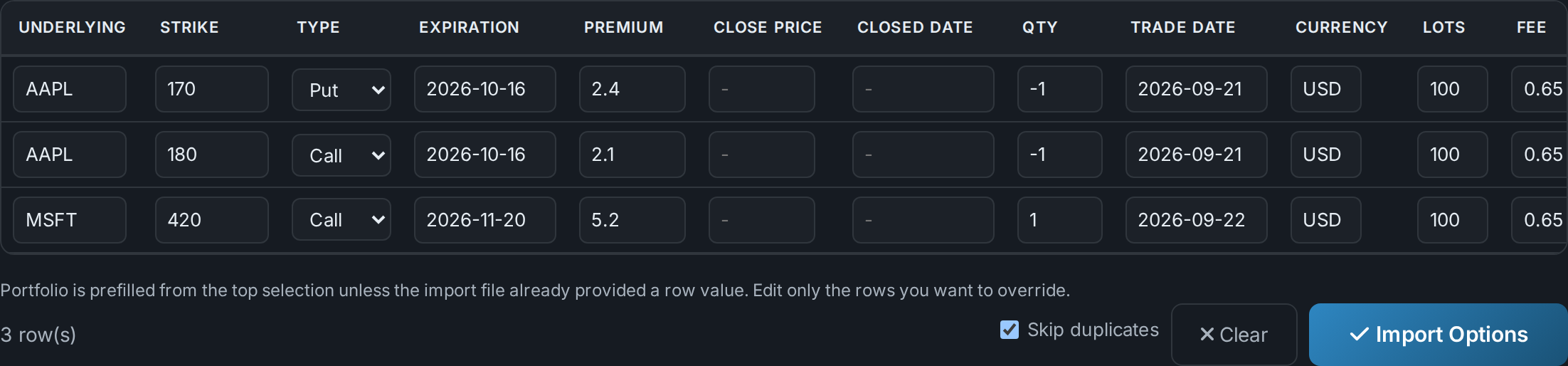
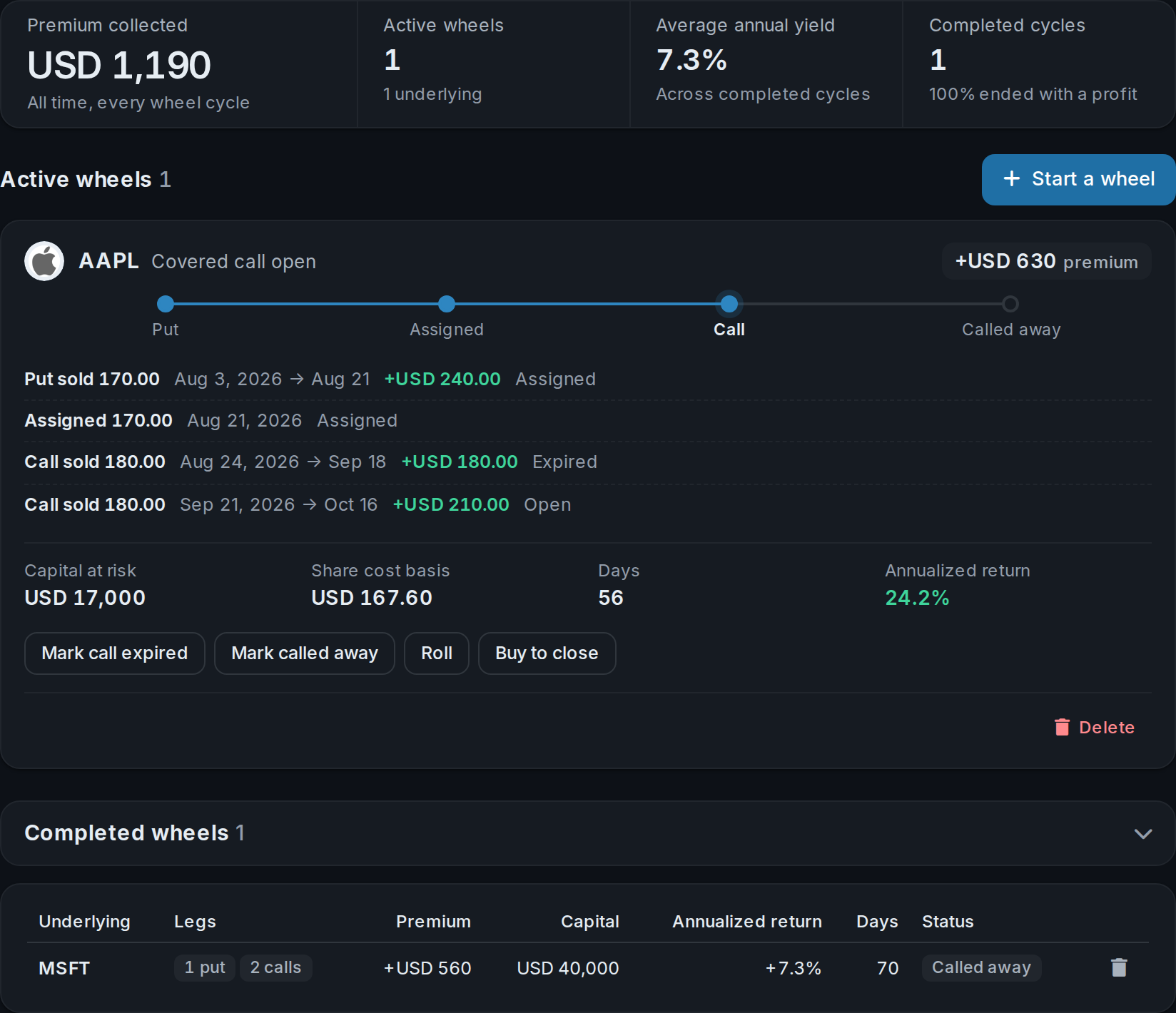
Follow the position from the first premium to its close, roll or assignment.
Track realized and unrealized P&L alongside the premium you've collected. Review closed trades and win rate without rebuilding your history in a spreadsheet.
Explore the options dashboardKeep a roll connected to its earlier trade and follow positions through expiry or assignment. Multi-leg strategies stay grouped so you can review the position as a whole.
Explore the trading journalFollow cash-secured puts into assigned shares and covered calls. Premium income and adjusted cost basis stay with the cycle, so you can see the result by ticker.
Explore the wheel trackerA wheel doesn't end when a put is assigned. Follow the shares into covered calls, keep each premium with the cycle and review completed wheels alongside the ones still running.
AllInvestViewWheel lifecycle and completed cycles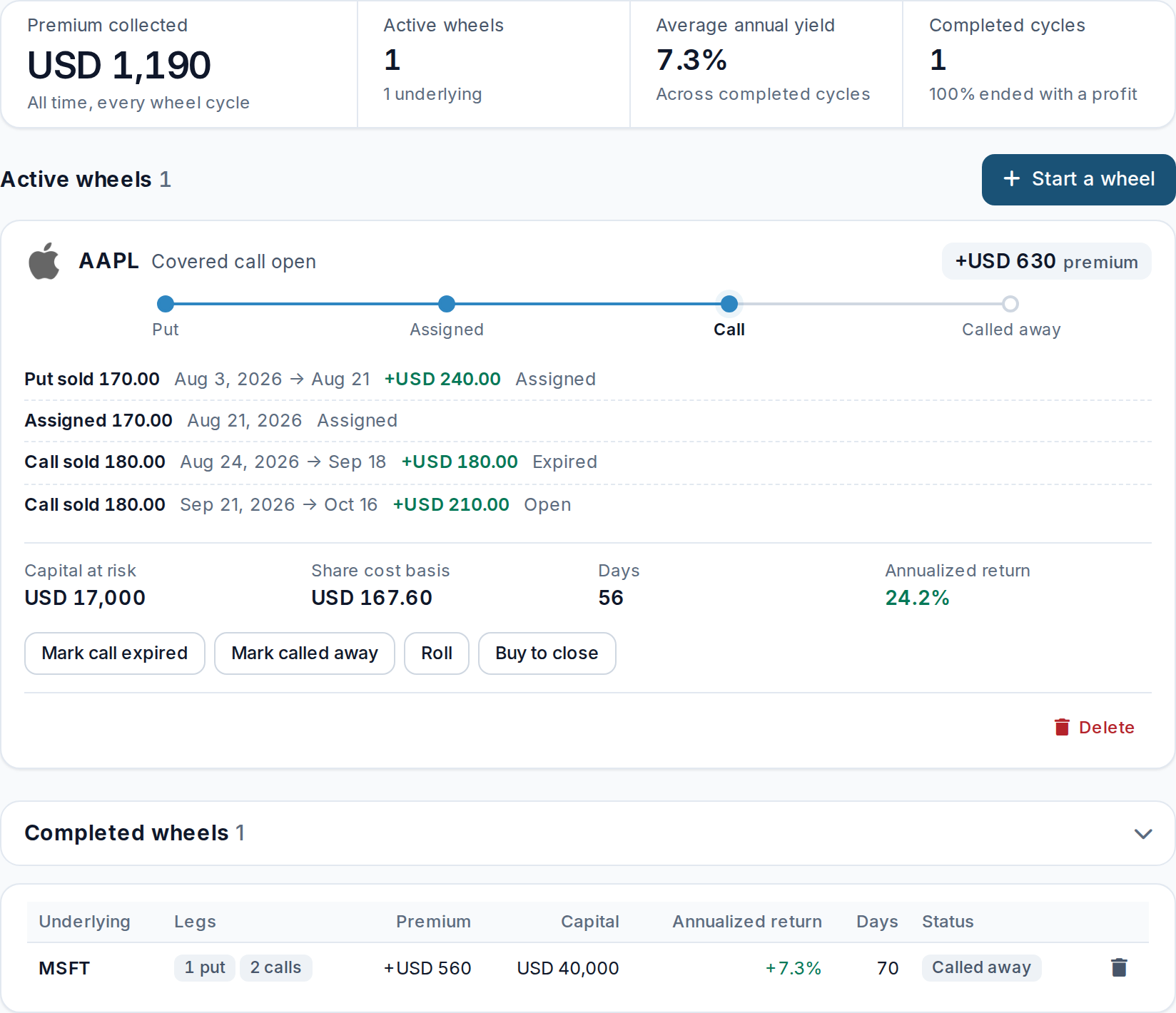
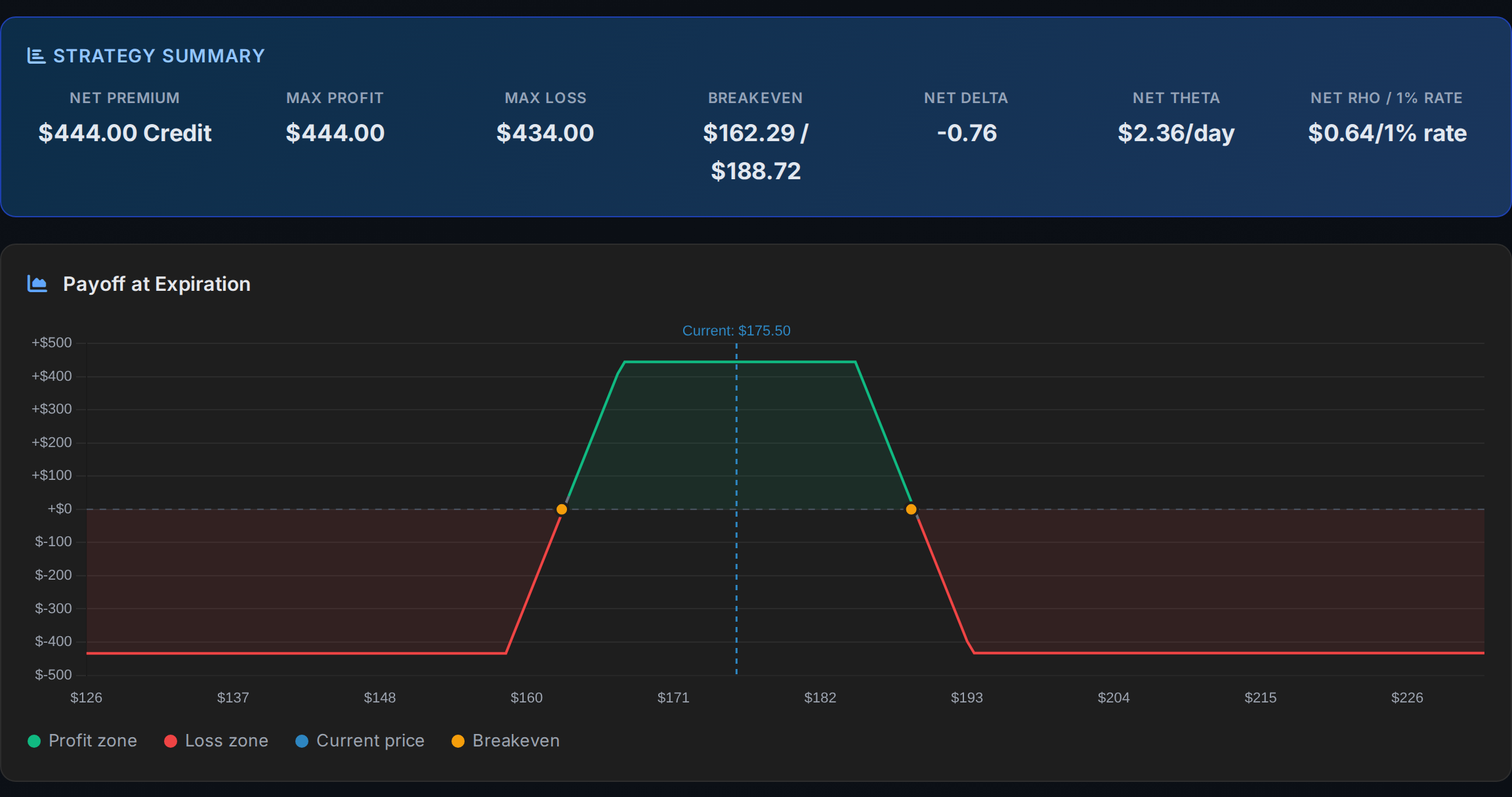
Choose a spread, condor, covered call or wheel template, or combine your own legs. See the premium, maximum profit and loss, breakevens and payoff before adding the position to your book.
Start with one of 11 strategy templates or build your own structure with up to eight legs. See the Greeks for each leg and the combined position as you shape the trade.
Explore the Strategy BuilderAllInvestViewIron Condor strategy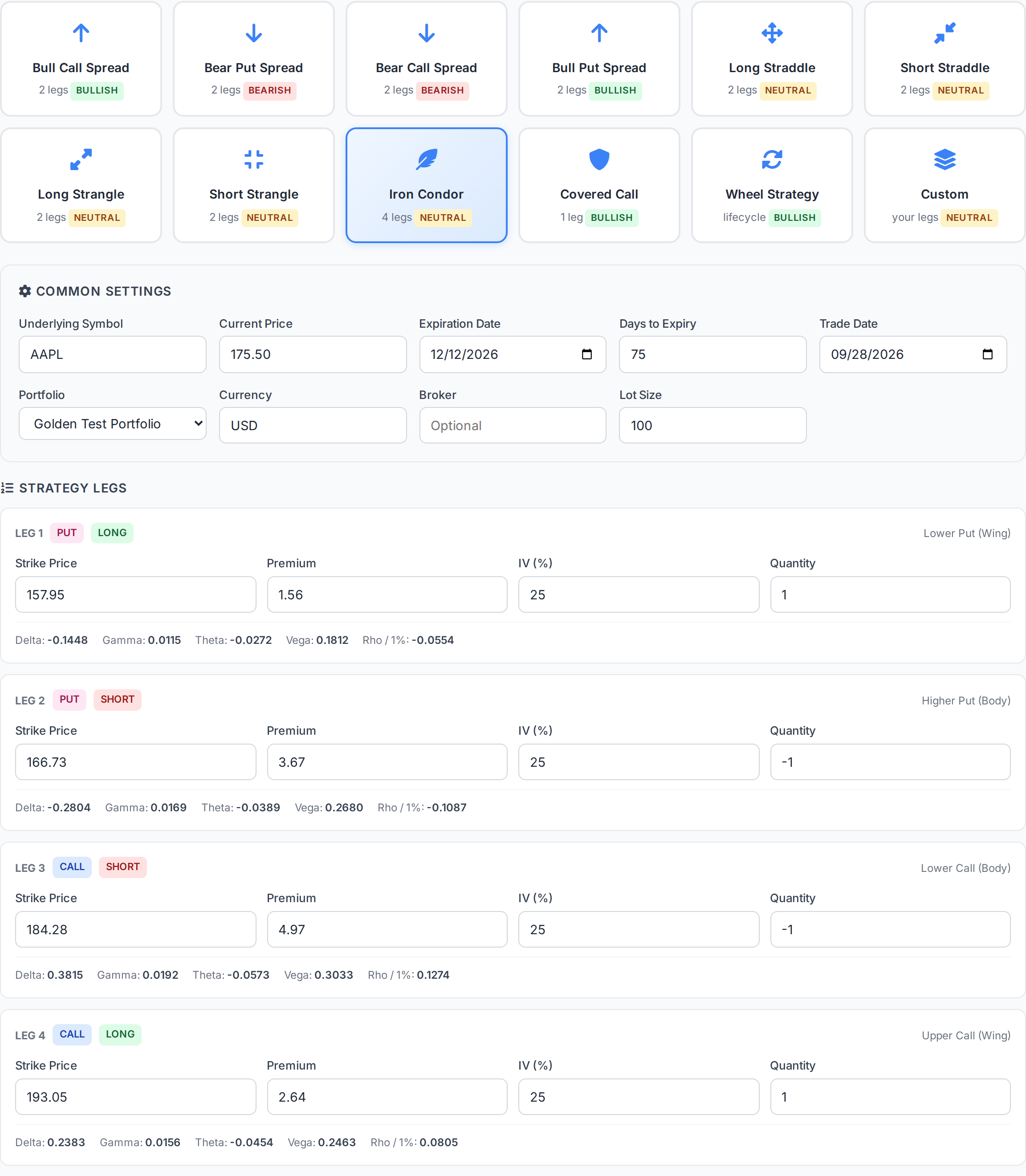
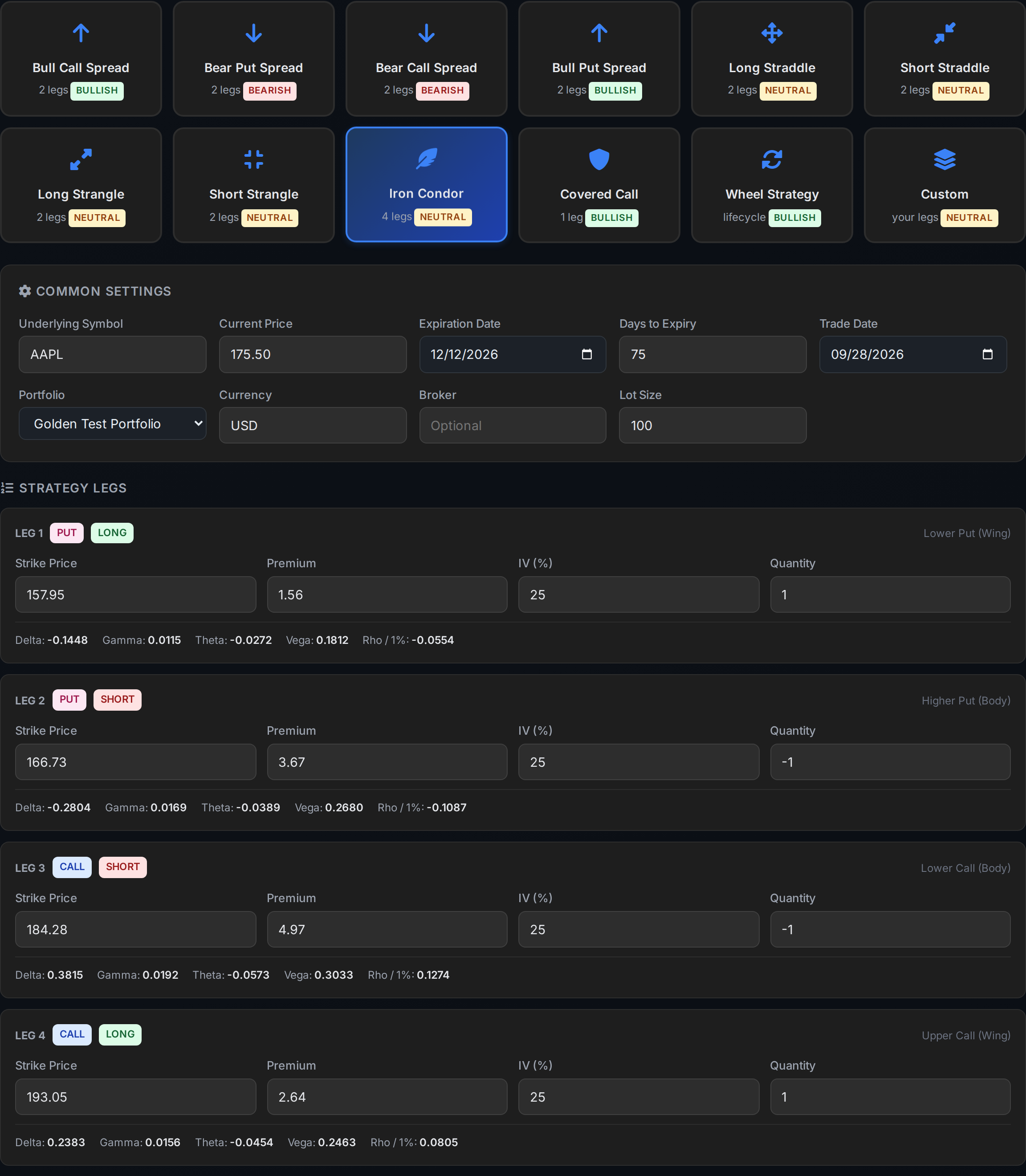 AllInvestViewStrategy summary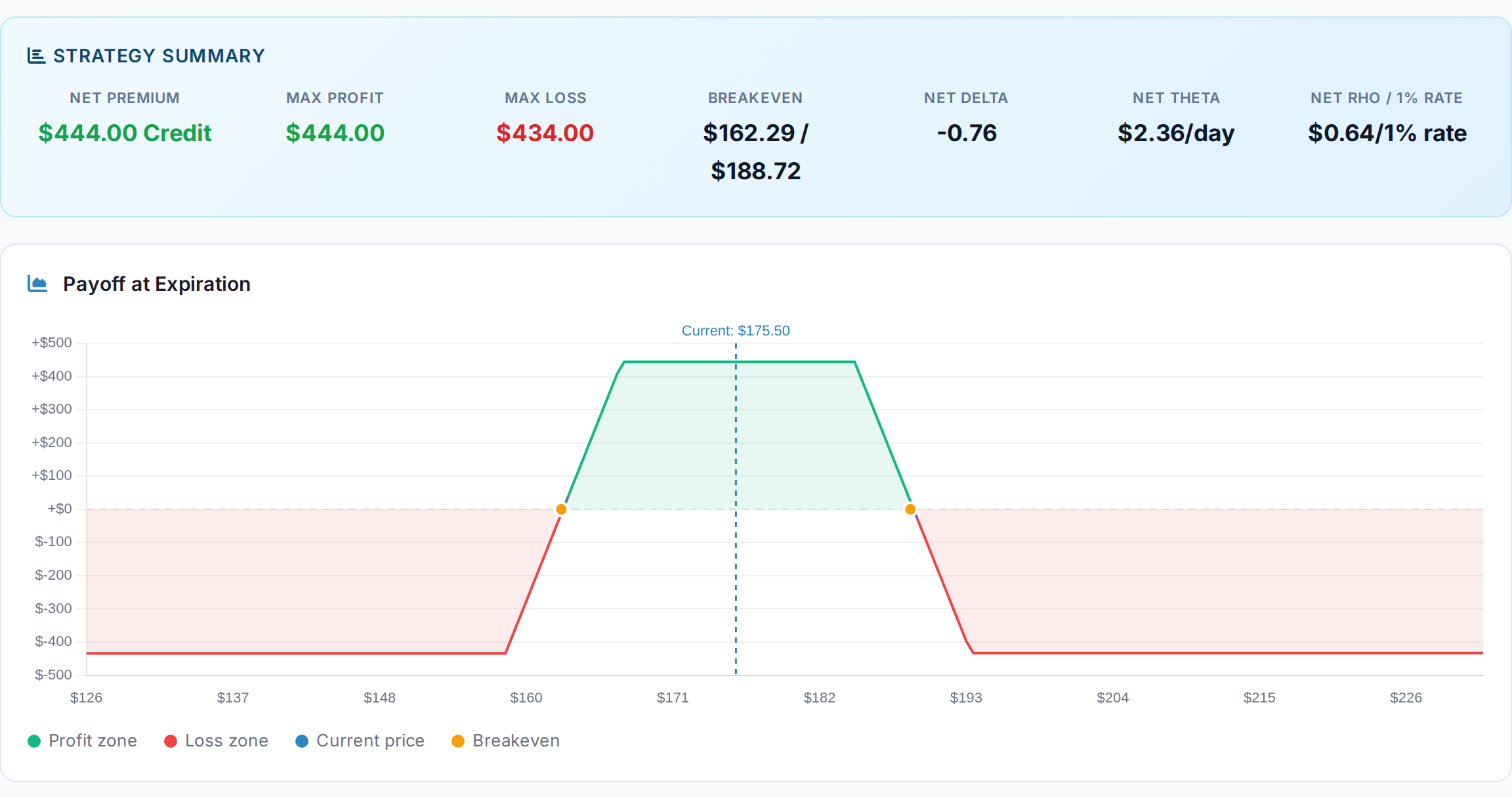
Test a sell-off, a rally or a volatility crush before committing capital. The scenario grid reprices the whole position across prices and dates, then lets you compare P&L with estimated buying power.
See how a move in the underlying and a shift in volatility change the trade's result over time.
AllInvestViewP&L by price and date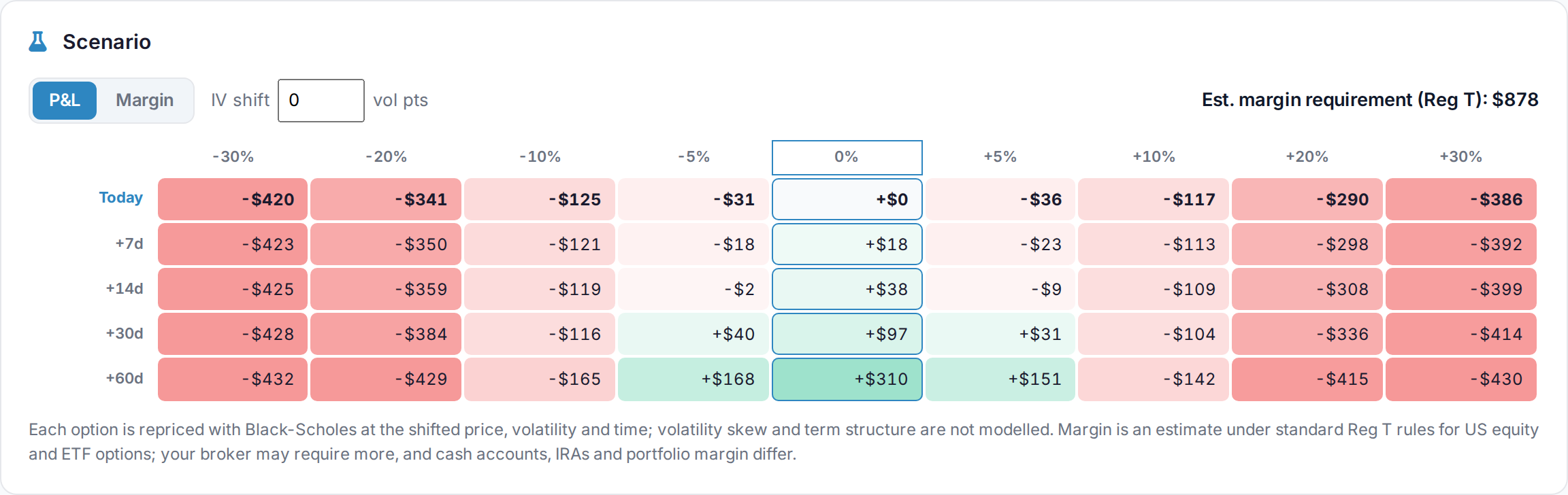
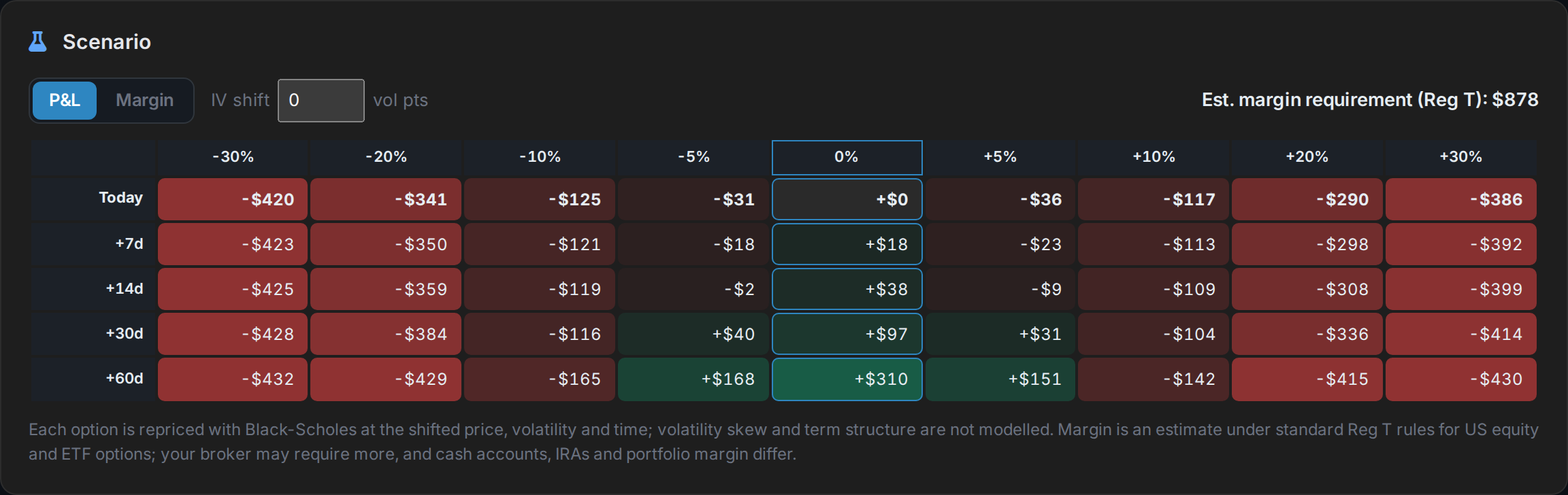
Switch the same grid to buying power and see how much capital the position could tie up after a sharp move.
AllInvestViewEstimated margin by price and date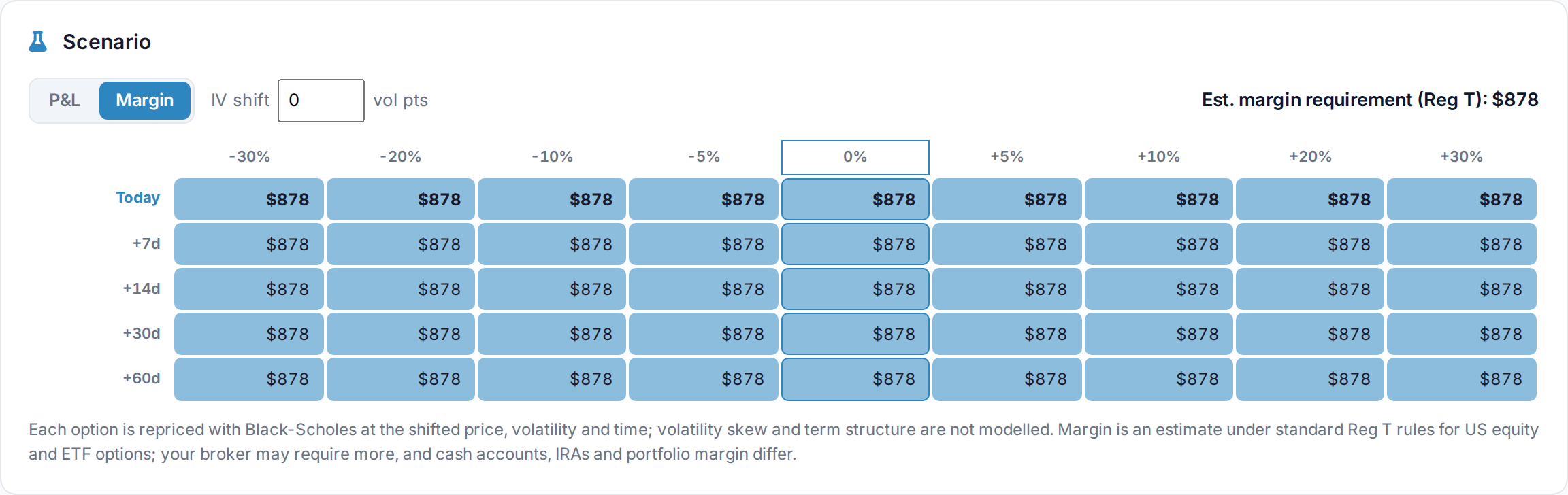
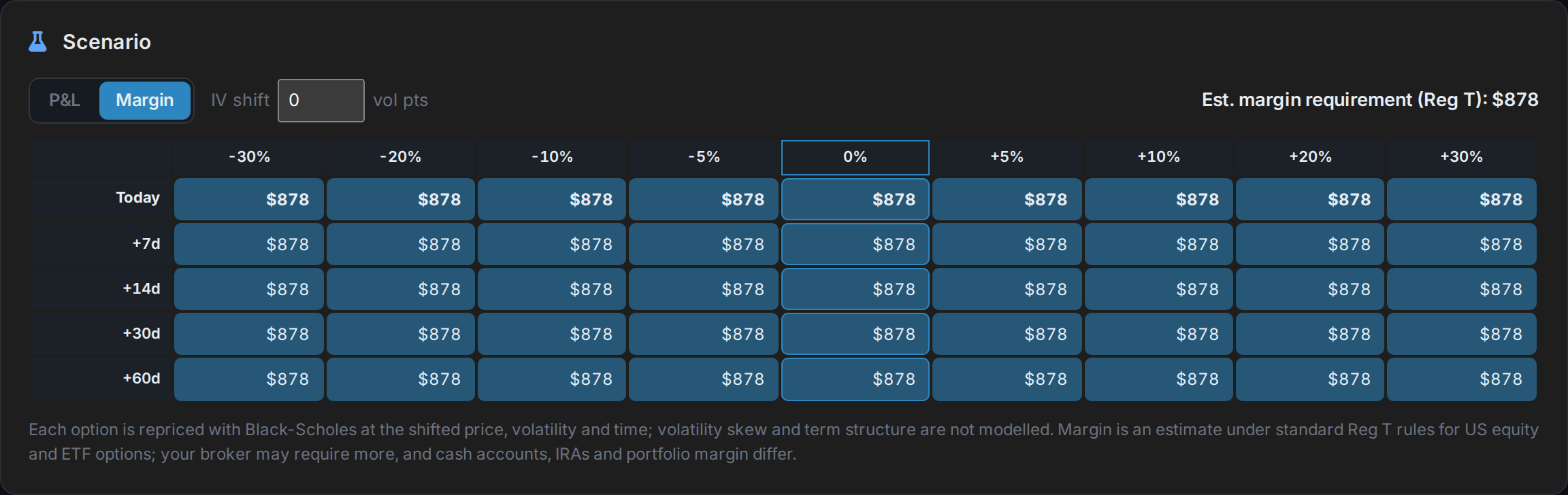
Margin estimates use standard US Reg T rules. Your broker's requirement can differ.
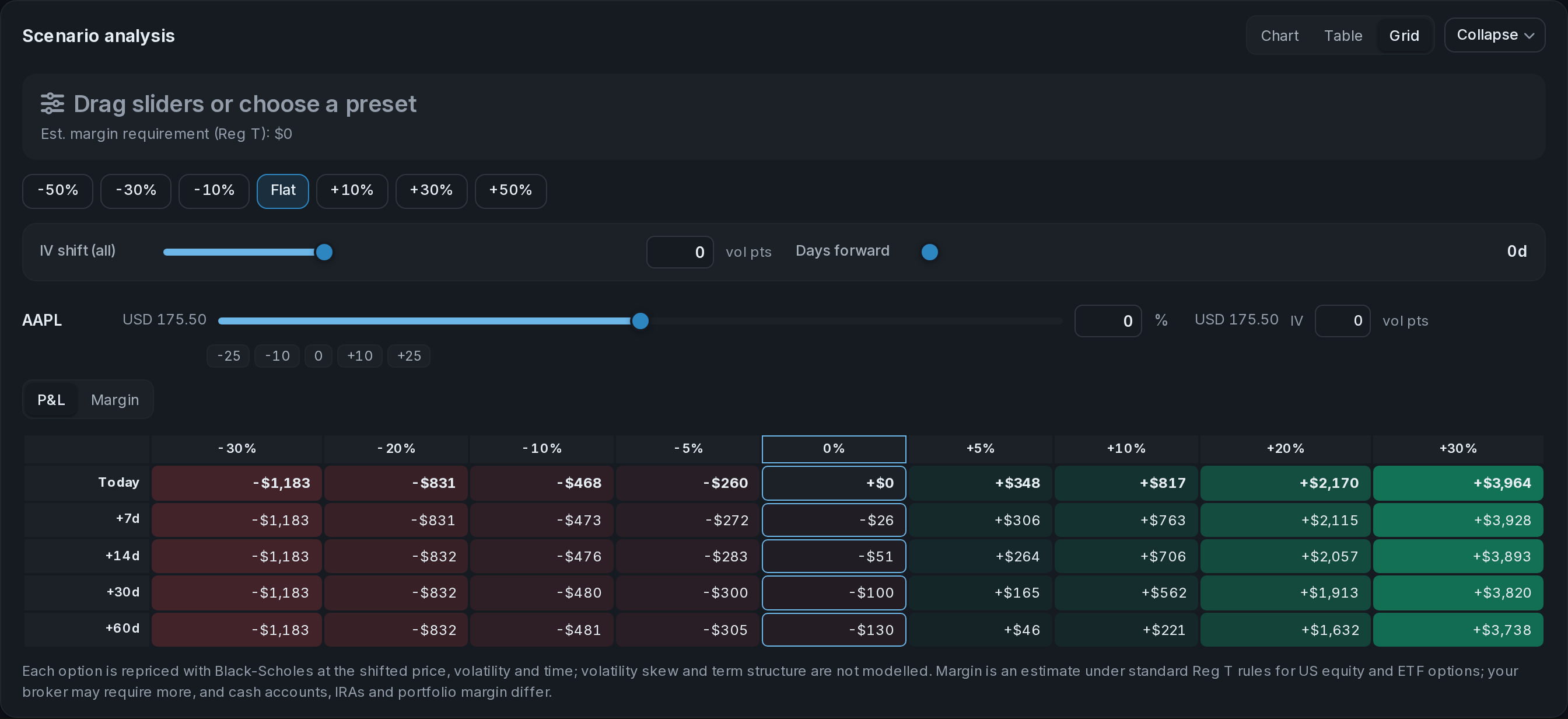
Move all your underlyings together or adjust one ticker. Shift volatility and advance the date to see the combined P&L and estimated margin, with the result available as a grid, chart or table.
AllInvestViewPortfolio scenario analysis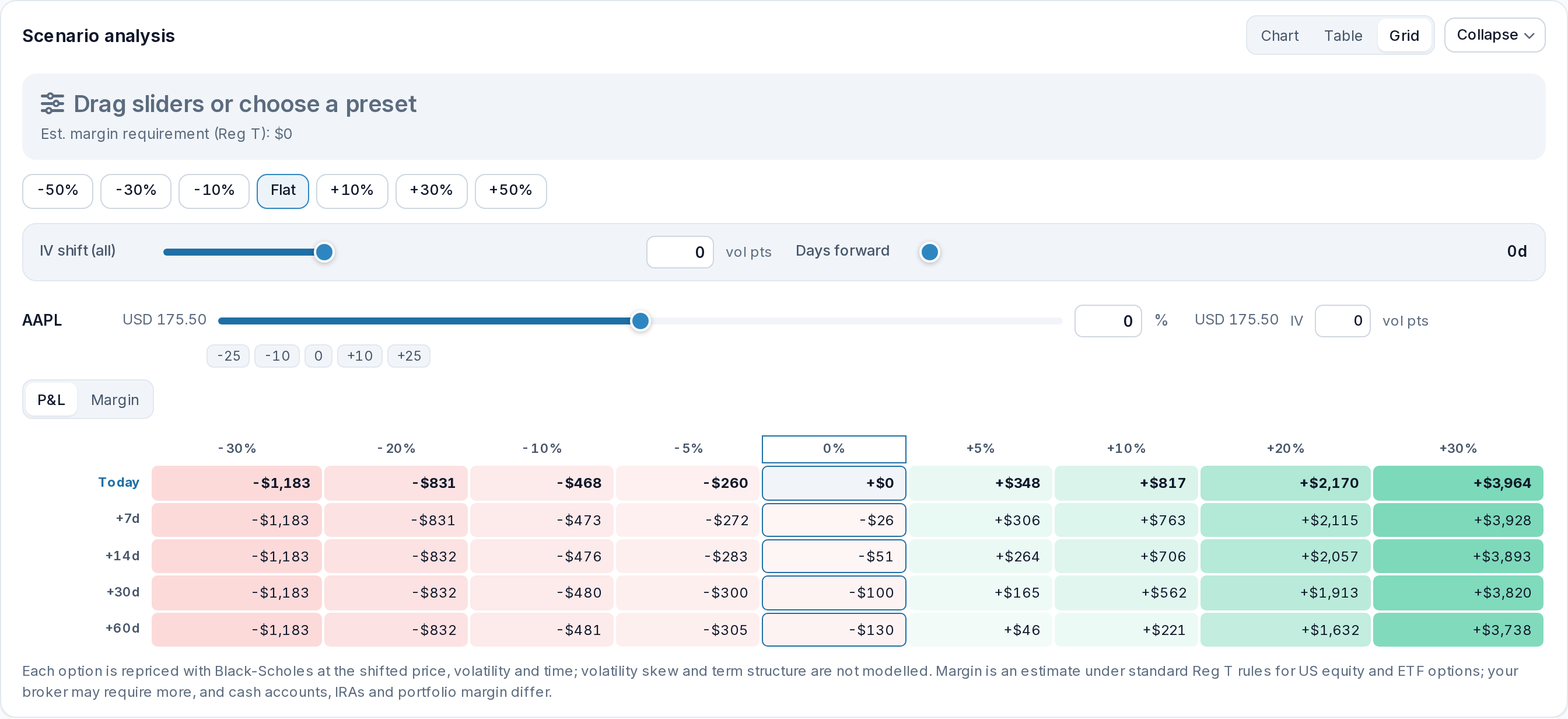
Keep options beside your shares, cash and other investments, with portfolio performance and tax reporting in the same account.
Track calls, puts, spreads, condors, covered calls and the wheel. Multi-leg positions stay grouped, and the Strategy Builder has 11 templates plus a custom card for your own combination.
Add trades directly, import options history from CSV or Excel, or connect a supported brokerage account.
Yes. See Delta, Gamma, Theta and Vega for each option and your combined exposure across the book. Marks and Greeks refresh periodically.
Yes. The wheel view connects the put, any assigned shares and the covered calls sold afterward. It keeps premium, adjusted share basis and the result by ticker in one cycle.
Yes. Build a position, then test its P&L across price moves, dates and volatility changes. Switch the same grid to estimated margin to see how buying power may change.
Yes. Create an account for a 14-day trial with no card required. Options tracking is included on Starter and higher plans after the trial.
Bring your positions together and see the next trade in context.
Start your free trialAfter your trial, continue options tracking on Starter or a higher plan. Compare plans.