 Trading 212 portfolio tracker
Your ISA and Invest accounts together, with the real return, every dividend and the UK tax figure done.
Connect Trading 212 read only, or upload your transaction history. You get the return between any two dates, the dividends you were paid and the ones coming, and a capital gains report for your country.
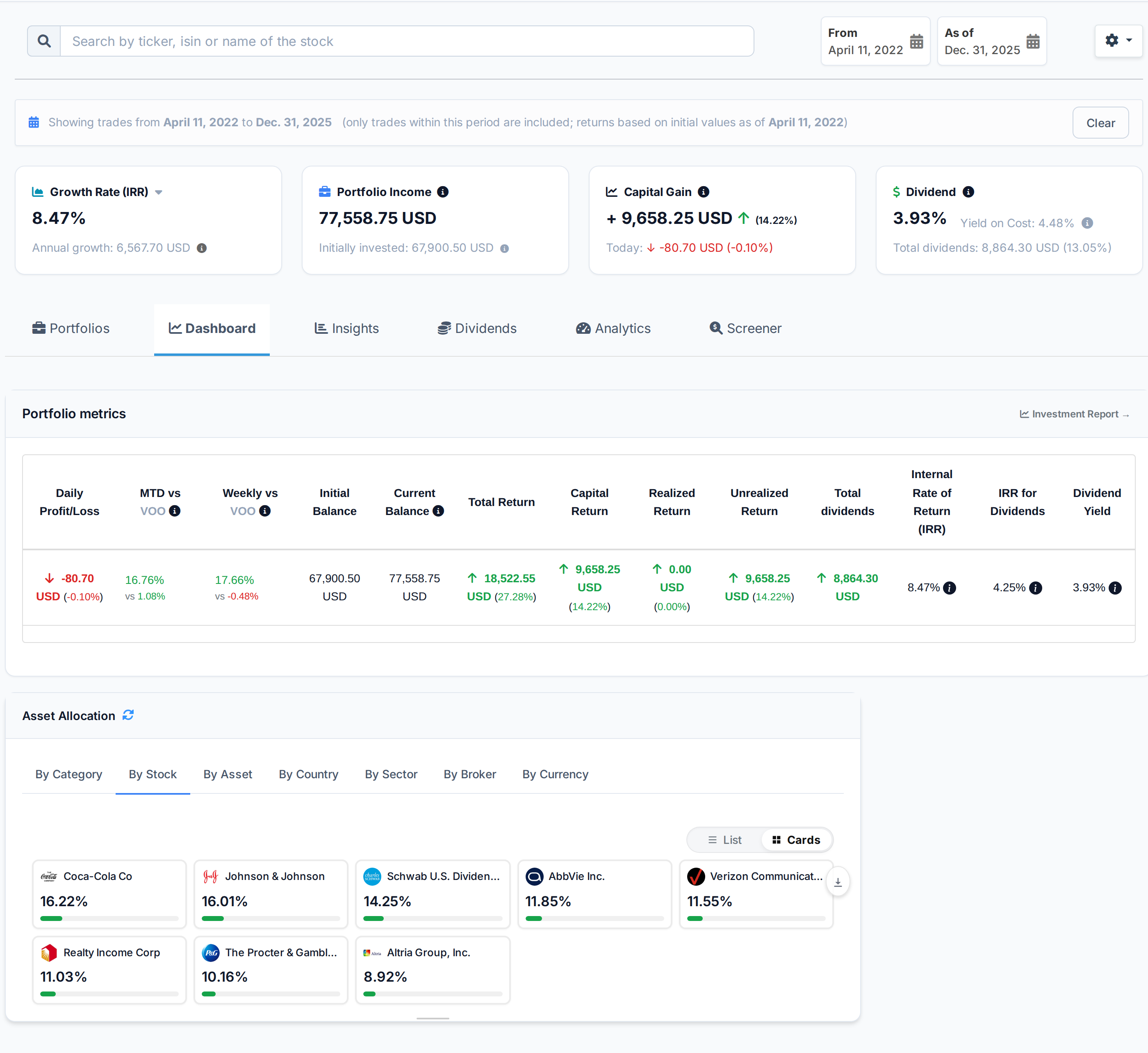
 AllInvestView
What Trading 212 does well
What people like about Trading 212, and why they stay.
Commission-free trading on stocks and ETFs with its stated fees.
Fractional shares from £1; making expensive stocks accessible.
Built-in pie feature for automated portfolio allocation and rebalancing.
Interest paid on uninvested cash (listed rate across EUR, GBP, USD).
What your broker leaves to you
Your broker is built for trading. The return, the tax figure and the view across accounts are what you get here.
The Trading 212 account shows each account, not what ISA and Invest earned together.
Trading 212 statements cover Stocks, ETFs, CFDs and Forex in GBP and USD for Individual and CFD. They do not compare tax lots under several cost-basis methods.
Trading 212 keeps Individual and CFD among its 3 account types with Stocks and Forex among 4 asset types in GBP and USD. Holdings at another broker are outside that total.
What AllInvestView does with your Trading 212 data
See your return between two dates
Trading 212 investors often build a Pie from fractional shares and add to it regularly.
Set a start and end date. The screen shows capital gain, IRR and dividend yield for that period.
See period performance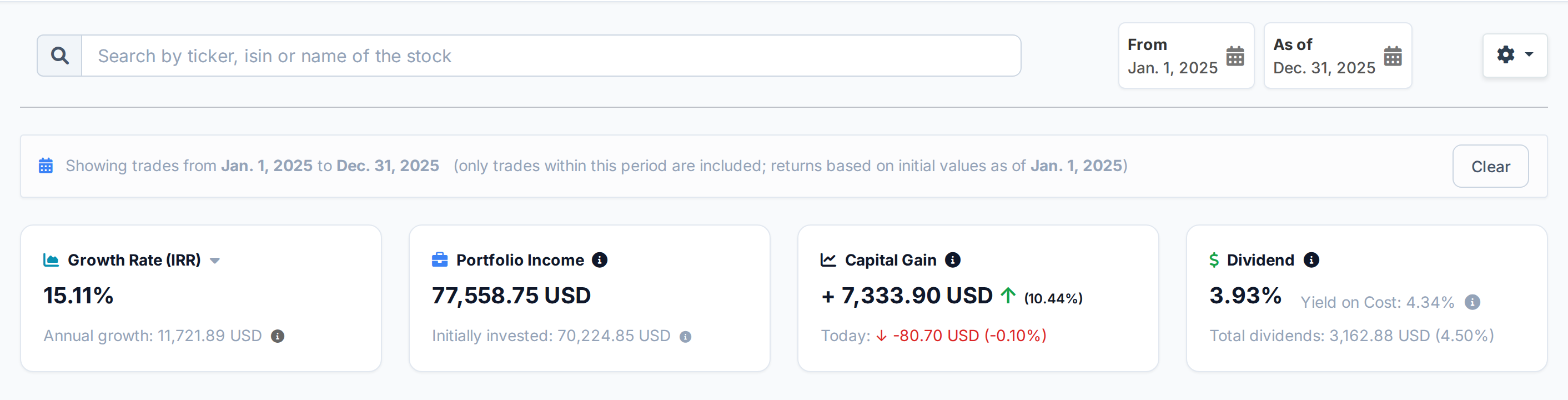 AllInvestView
See how each sale changes your tax
Small recurring buys can leave a Trading 212 history with many separate tax lots.
Choose FIFO, LIFO, HIFO or average cost. The report shows realized gains, unrealized gains, dividends and estimated tax.
Open the tax report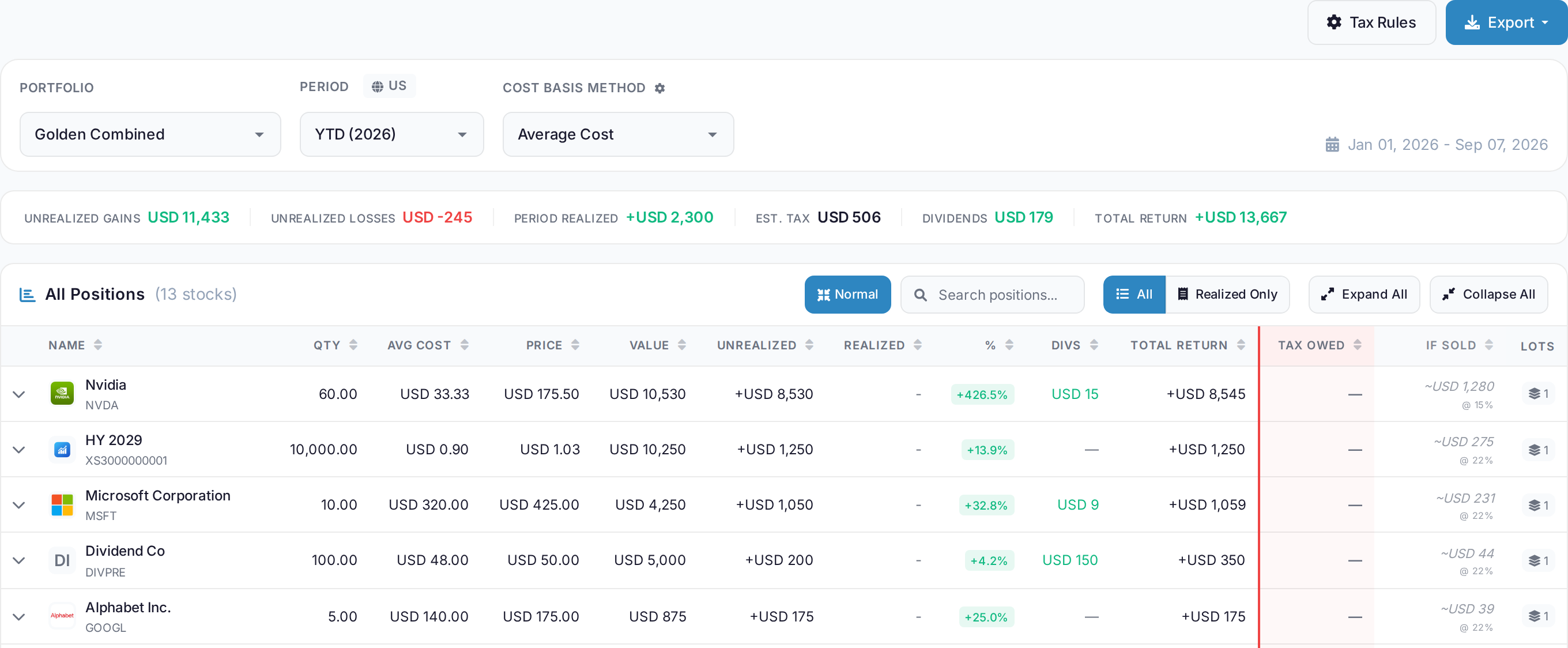 AllInvestView
Track Trading 212 dividends by holding and month
Include dividends when exporting your Trading 212 history. Open the dividend report for the imported portfolio and choose the dates you want to review.
See which holdings paid you, the tax withheld and the net income for each month. The forward forecast is shown separately from payments already recorded.
Explore the dividend report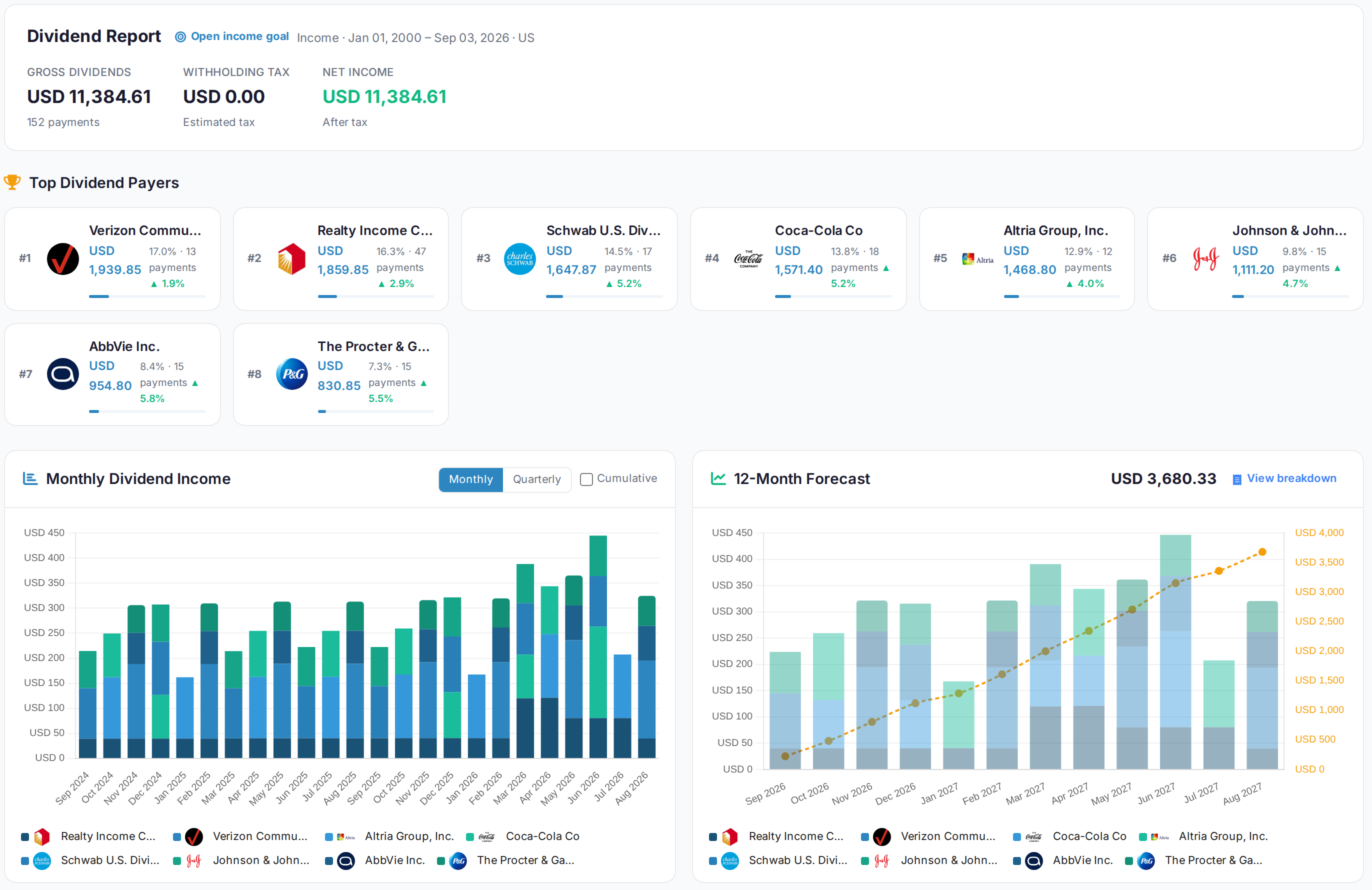 AllInvestView
What Trading 212 gives you, and what is added here
| Area | Trading 212 | With AllInvestView |
|---|---|---|
| Performance Analytics | The broker tools include basic percentage gain display. | The dashboard calculates XIRR and return between chosen dates. |
| Tax Reporting | The statement supplies transactions for a separate tax calculation. | The tax report supports FIFO, LIFO, HIFO and average cost. |
| Dividend Tracking | Dividend entries stay in the account history. | The dividend view shows the calendar, income and yield on cost. |
| Risk Analytics | The account report focuses on positions and account activity. | The risk view shows ratios, value at risk and simulations. |
| Portfolio Automation | The broker tools include Pies auto-invest with target allocations. | The dashboard measures the return of each holding. |
| Multi-Broker View | The account view covers holdings kept with this broker. | Accounts from several brokers can be viewed together. |
| Bond Analytics | Bonds appear in the account view as positions. | The bond report shows yield, duration, convexity and accrued interest. |
For investors filing in the United Kingdom
ISA, SIPP and a general account are separate portfolios, and the tax report follows the UK rules.
Sterling as your base currency, with everything foreign converted at the rate of the day
Bed and breakfast handled on the 30 day rule
The annual exemption applied before the rate
Dividend income separated from gains, with the withholding already taken off
Getting your Trading 212 history in
Export from Trading 212
In Trading 212, open Menu > History and select the export button. Include orders, transactions and dividends for your chosen dates, then upload the CSV to AllInvestView.
Upload it
The importer reads the column layout on its own, identifies the securities and shows you every row before anything is saved.
Read your portfolio
Prices update daily, and dividends, corporate actions and splits are applied to the history you just brought in. Nothing else to keep up to date by hand.
About Trading 212
Trading 212 and everywhere else you hold something
Most people end up with two or three accounts. Bring them all in and they add up to one portfolio, with one return and one tax report.
Every broker with a page here
Trading 212
 Freetrade
 Revolut
 TradeStation Global
 Zerodha
Once your Trading 212 history is in



Trading 212 and AllInvestView, answered
See what your Trading 212 portfolio has really done
Connect the account read only or upload the file. The return, the dividends and the tax figures are waiting on the other side.
Create a free account