Your Trade Republic savings plans and shares with the real return, every dividend and a tax report for Germany.
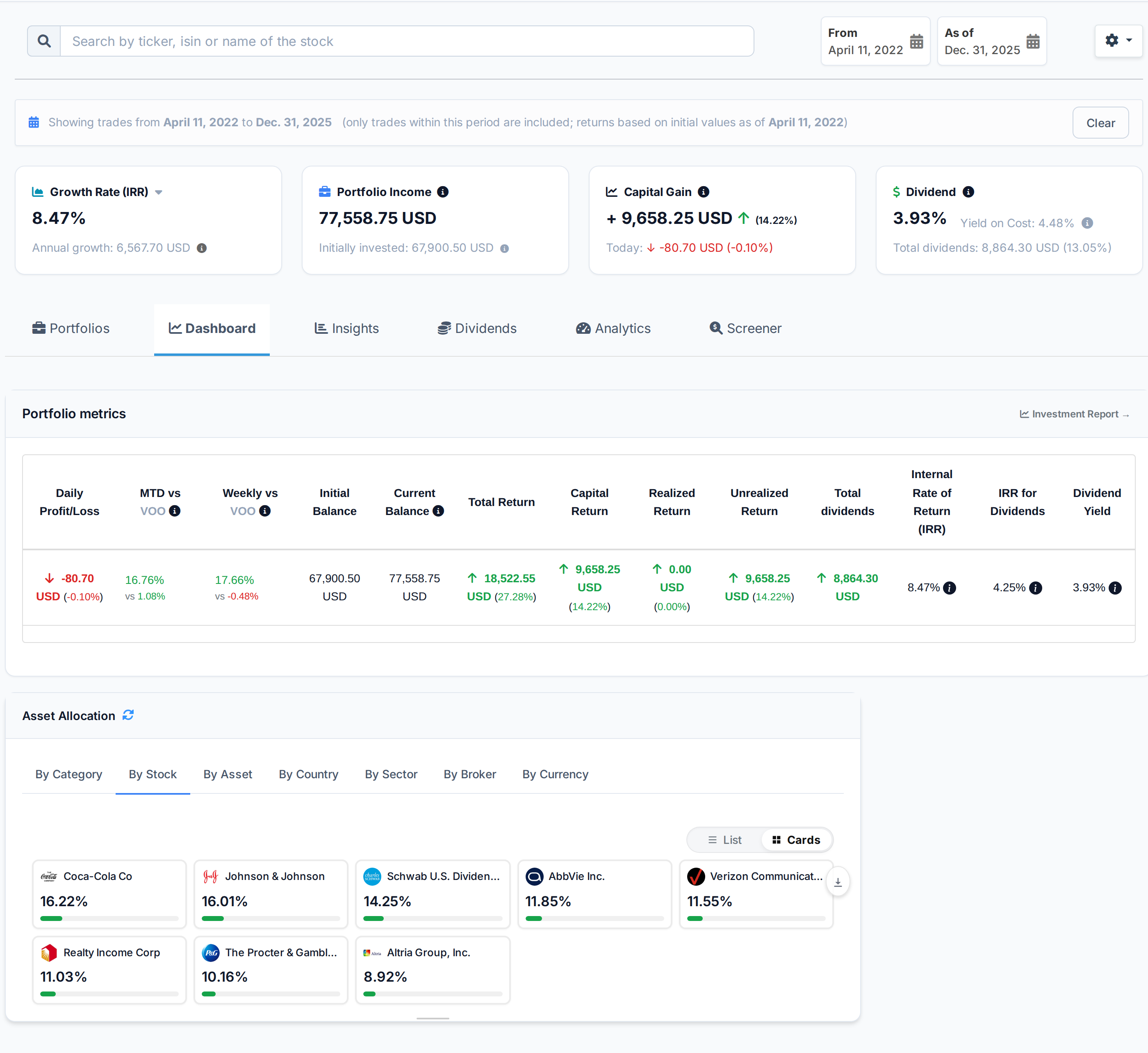
Upload your Trade Republic transaction history. You get the return between any two dates, the dividends you were paid and the ones coming, and a capital gains report for your country.
 AllInvestView
What Trade Republic does well
What people like about Trade Republic, and why they stay.
EUR 1 flat fee per trade with free automated savings plans.
Fractional shares starting from EUR 1.
3.25% interest on uninvested cash (as of 2025).
Expanding to 17 EU countries with IBAN banking.
Over 4,000 stocks and 2,000 ETFs available.
What your broker leaves to you
Your broker is built for trading. The return, the tax figure and the view across accounts are what you get here.
The Trade Republic account shows savings plans and holdings, not the return after tax and FX across accounts.
Trade Republic statements cover Stocks, ETFs, Derivatives, Crypto and Bonds in EUR for Individual. They do not compare tax lots under several cost-basis methods.
Trade Republic's Individual can hold Stocks and Bonds. The account view does not place future distributions on a calendar.
What AllInvestView does with your Trade Republic data
Review every row before you import it
Trade Republic users often build ETF savings plans and add a few individual shares or bonds.
Upload the transaction file and review the mapped columns and rows. Nothing is added until you confirm the import.
Review a file import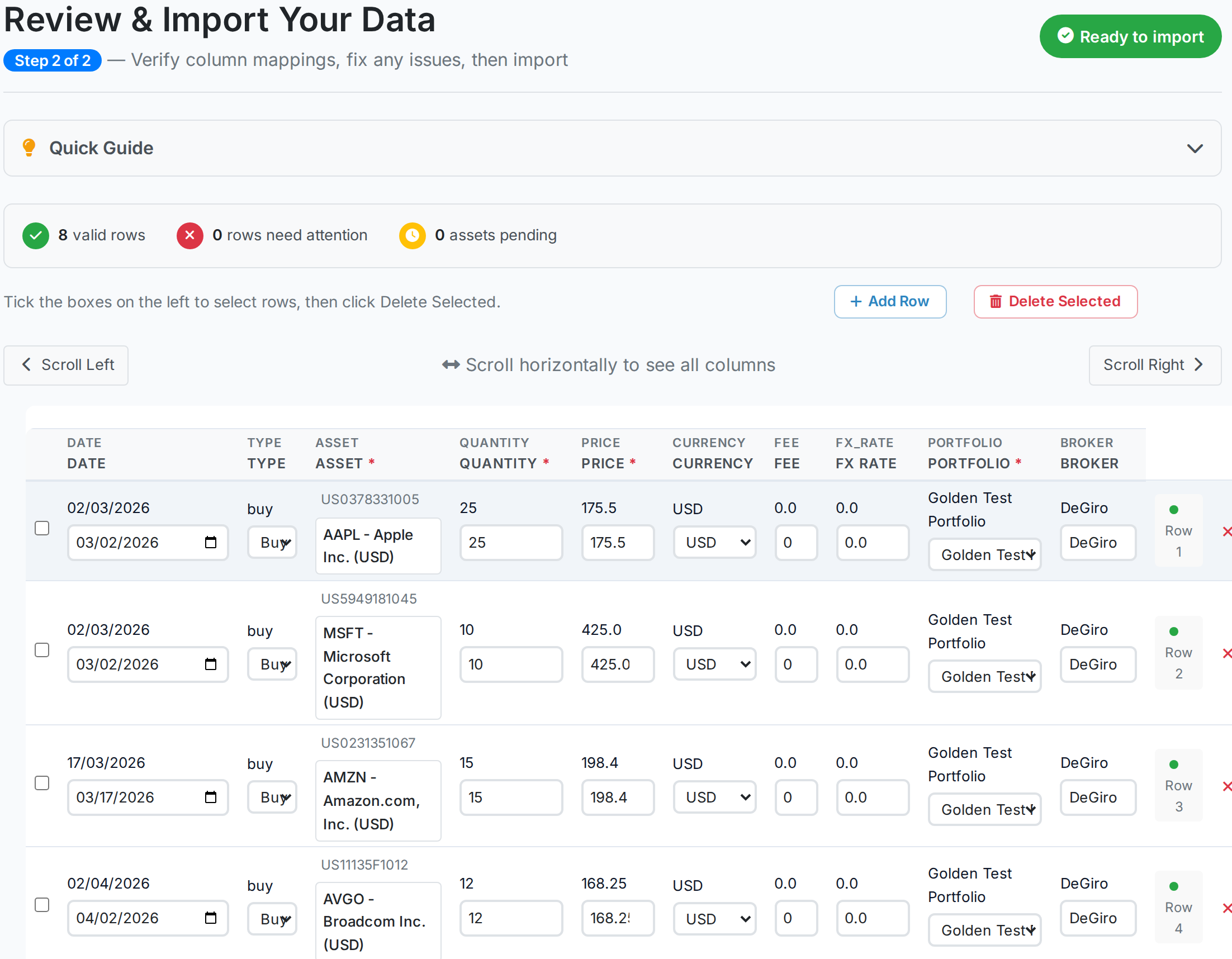 AllInvestView
Trace dividend income from payment to forecast
Trade Republic ETF savings plans can build a steady stream of fund distributions.
The report totals gross, withheld and net dividend income. It also shows payment history by company and a 12-month forecast.
Open the dividend report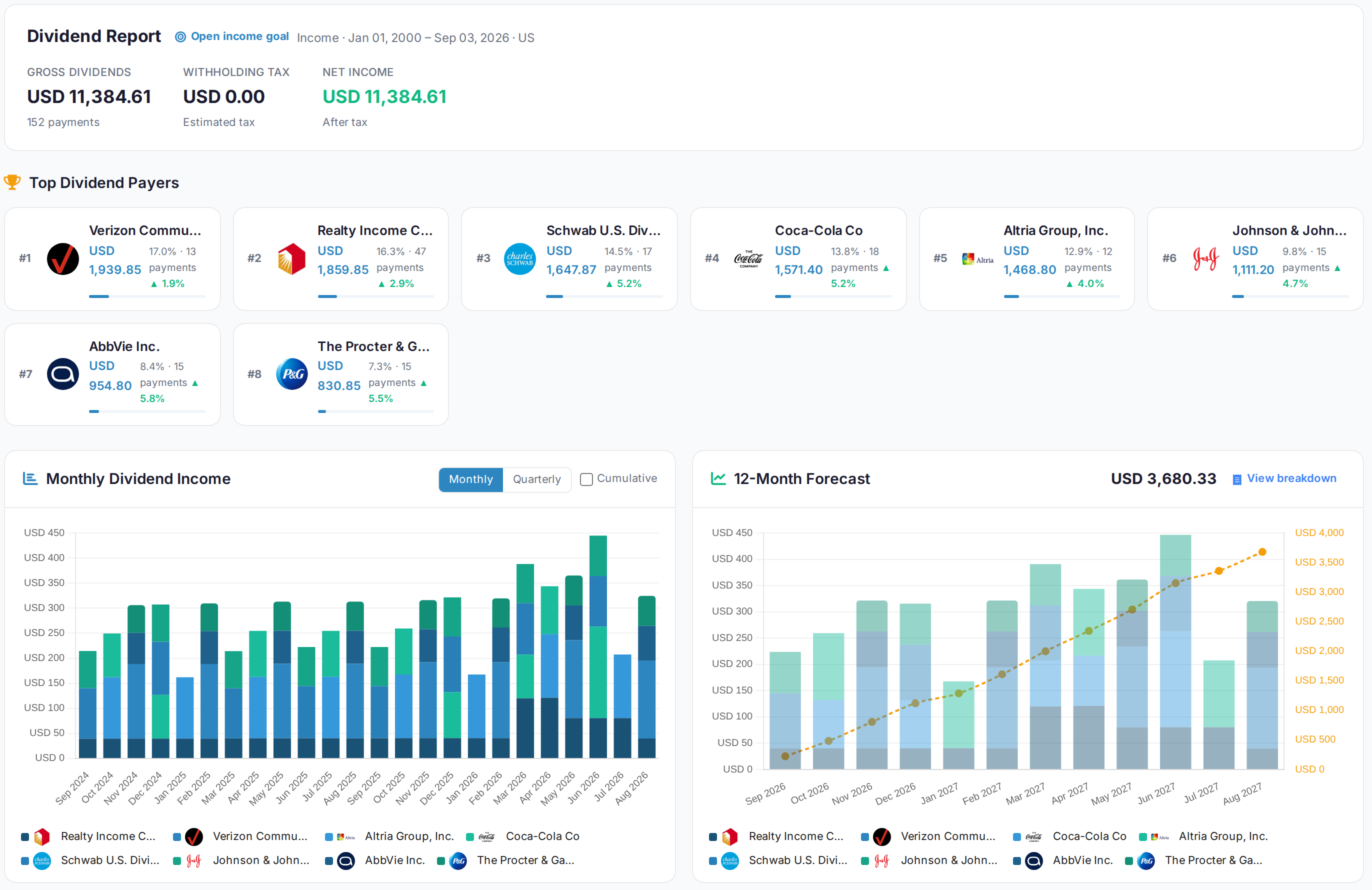 AllInvestView
See what sits inside your funds
Several Trade Republic ETFs may own the same companies beneath different fund names.
Portfolio X-Ray opens each fund and combines repeated underlying holdings. It shows overlap and concentration across the portfolio.
Open Portfolio X-Ray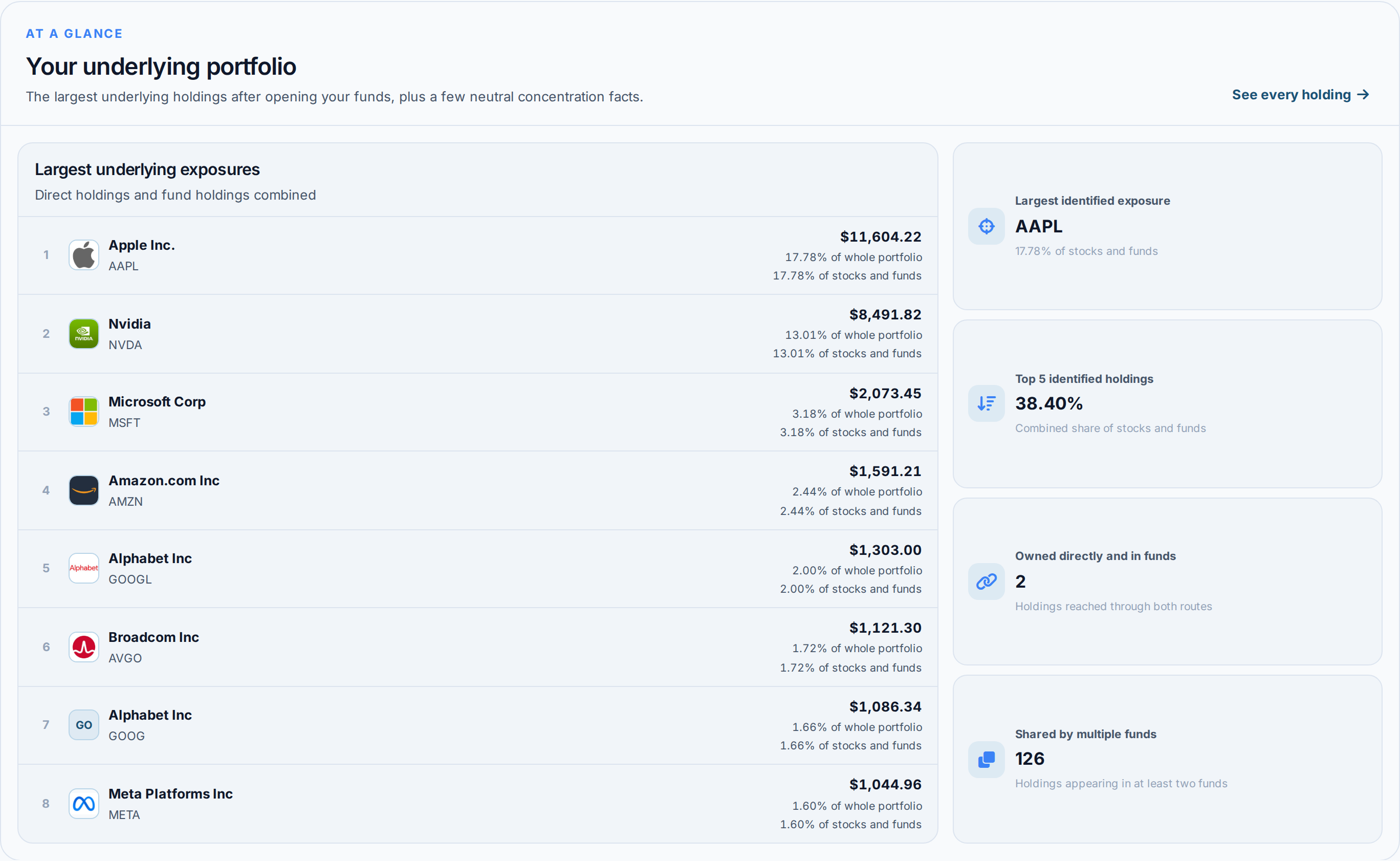 AllInvestView
What Trade Republic gives you, and what is added here
| Area | Trade Republic | With AllInvestView |
|---|---|---|
| Performance Analytics | The broker tools include basic portfolio value in mobile app. | The dashboard calculates XIRR and return between chosen dates. |
| Tax Reporting | The statement supplies transactions for a separate tax calculation. | The tax report supports FIFO, LIFO, HIFO and average cost. |
| Analytics Depth | The account view focuses on balances and positions. | The dashboard shows return, allocation, income and risk. |
| Dividend Tracking | Dividend entries stay in the account history. | The dividend view shows the calendar, income and yield on cost. |
| Multi-Broker View | The account view covers holdings kept with this broker. | Accounts from several brokers can be viewed together. |
| Risk Analytics | The account report focuses on positions and account activity. | The risk view shows ratios, value at risk and simulations. |
For investors filing in Europe
Three or four currencies in one portfolio is the normal case here.
Every position keeps its own currency and converts to the base you pick
Capital gains rules for Germany, Spain, France, Italy, Ireland, Switzerland, Sweden, Denmark and Finland
Withholding tax on foreign dividends tracked per country
The Spanish Modelo 720 declaration built from your holdings
Getting your Trade Republic history in
Export from Trade Republic
Open Settings > Documents > Activity in Trade Republic. Choose the date range, export the CSV, then upload it to AllInvestView.
Upload it
The importer reads the column layout on its own, identifies the securities and shows you every row before anything is saved.
Read your portfolio
Prices update daily, and dividends, corporate actions and splits are applied to the history you just brought in. Nothing else to keep up to date by hand.
About Trade Republic
Trade Republic and everywhere else you hold something
Most people end up with two or three accounts. Bring them all in and they add up to one portfolio, with one return and one tax report.
Often held alongside Trade Republic
Every broker with a page here
 Trading 212
 Freetrade
 Revolut
 TradeStation Global
 Zerodha
Once your Trade Republic history is in




Trade Republic and AllInvestView, answered
See what your Trade Republic portfolio has really done
Upload your transaction history. The return, the dividends and the tax figures are waiting on the other side.
Create a free account