CommSec and anything offshore in one portfolio, in Australian dollars, with the CGT discount and franking handled.
Connect Commsec read only, or upload your transaction history. You get the return between any two dates, the dividends you were paid and the ones coming, and a capital gains report for your country.
 AllInvestView
What Commsec does well
What people like about Commsec, and why they stay.
Australian online broker backed by Commonwealth Bank.
Access to ASX stocks, ETFs, and international markets.
CommSec Pocket for micro-investing from AUD 50.
Integrated with Commonwealth Bank accounts for direct funding.
Charting and research tools.
What your broker leaves to you
Your broker is built for trading. The return, the tax figure and the view across accounts are what you get here.
The Commsec account shows ASX and overseas positions, not their return together after currency moves.
Commsec statements cover Stocks, ETFs, Options and Managed Funds in AUD and USD for Individual and Trust. They do not compare tax lots under several cost-basis methods.
Commsec keeps Individual and Trust among its 5 account types with Stocks and Managed Funds among 4 asset types in AUD and USD. Holdings at another broker are outside that total.
What AllInvestView does with your Commsec data
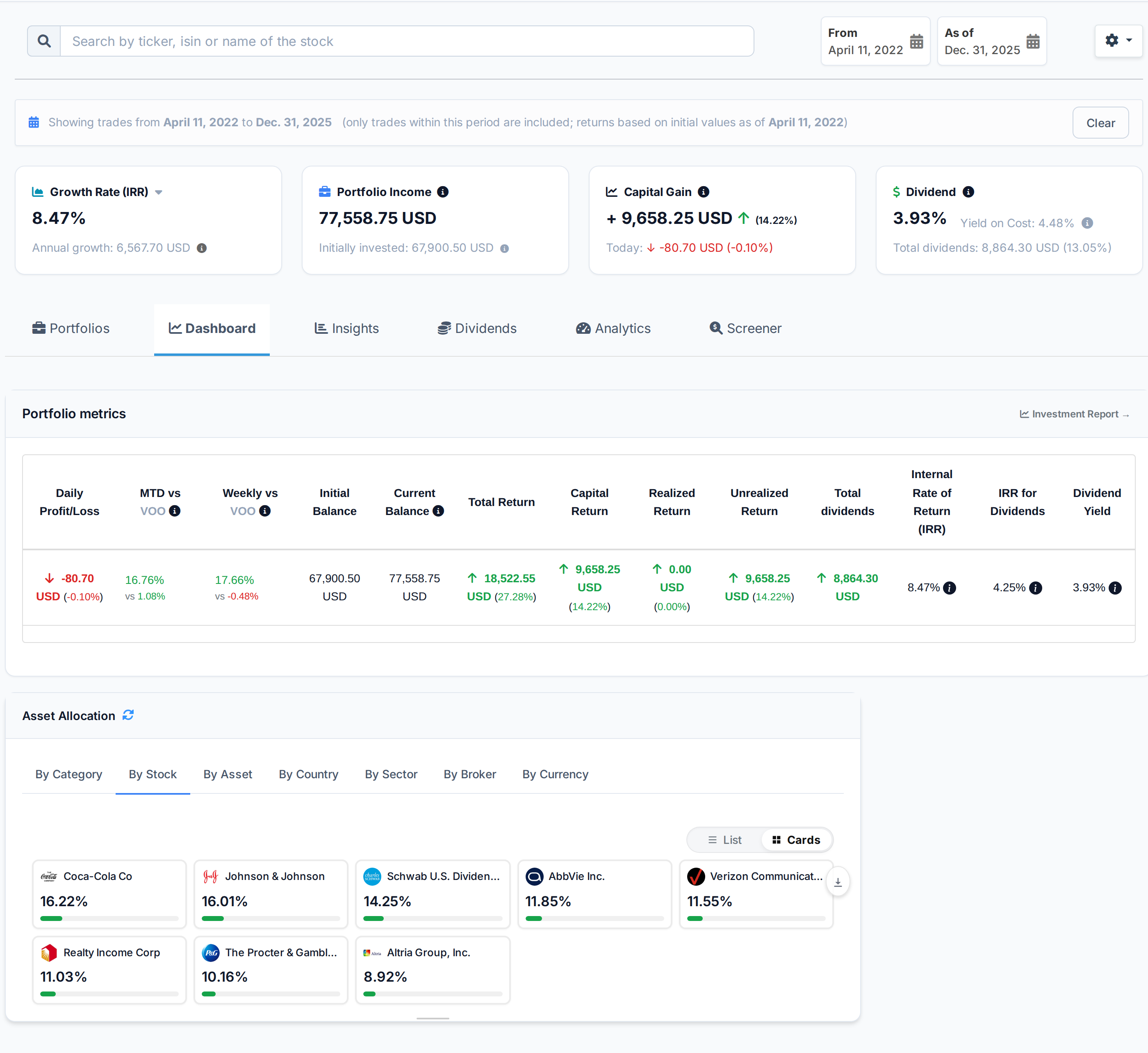
See your return between two dates
Commsec customers commonly hold Australian shares and a smaller group of overseas investments.
Set a start and end date. The screen shows capital gain, IRR and dividend yield for that period.
See period performance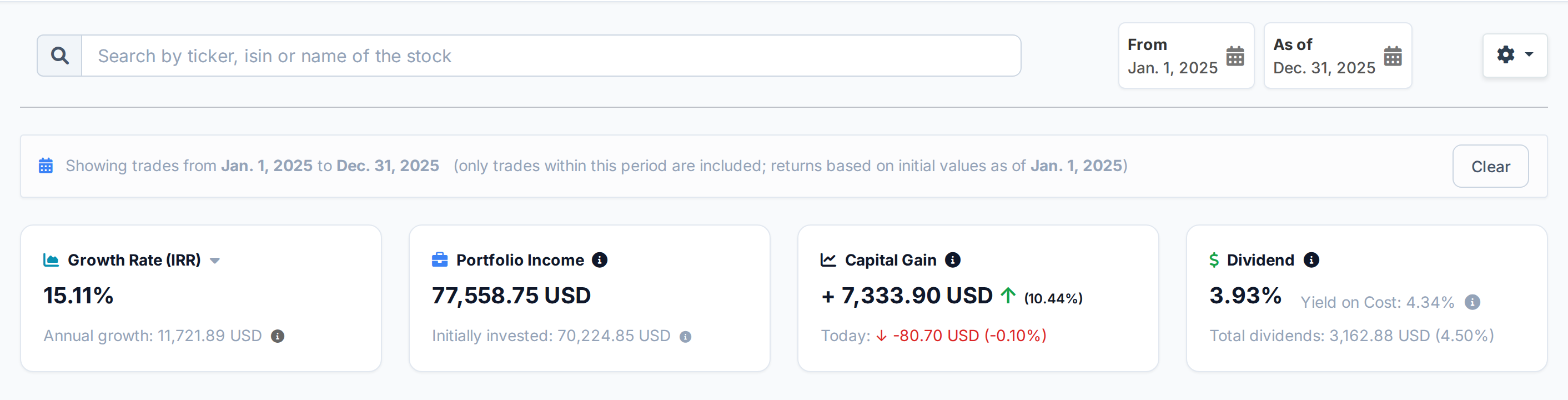 AllInvestView
See how each sale changes your tax
A Commsec history may combine dividends with sales that draw from several purchase dates.
Choose FIFO, LIFO, HIFO or average cost. The report shows realized gains, unrealized gains, dividends and estimated tax.
Open the tax report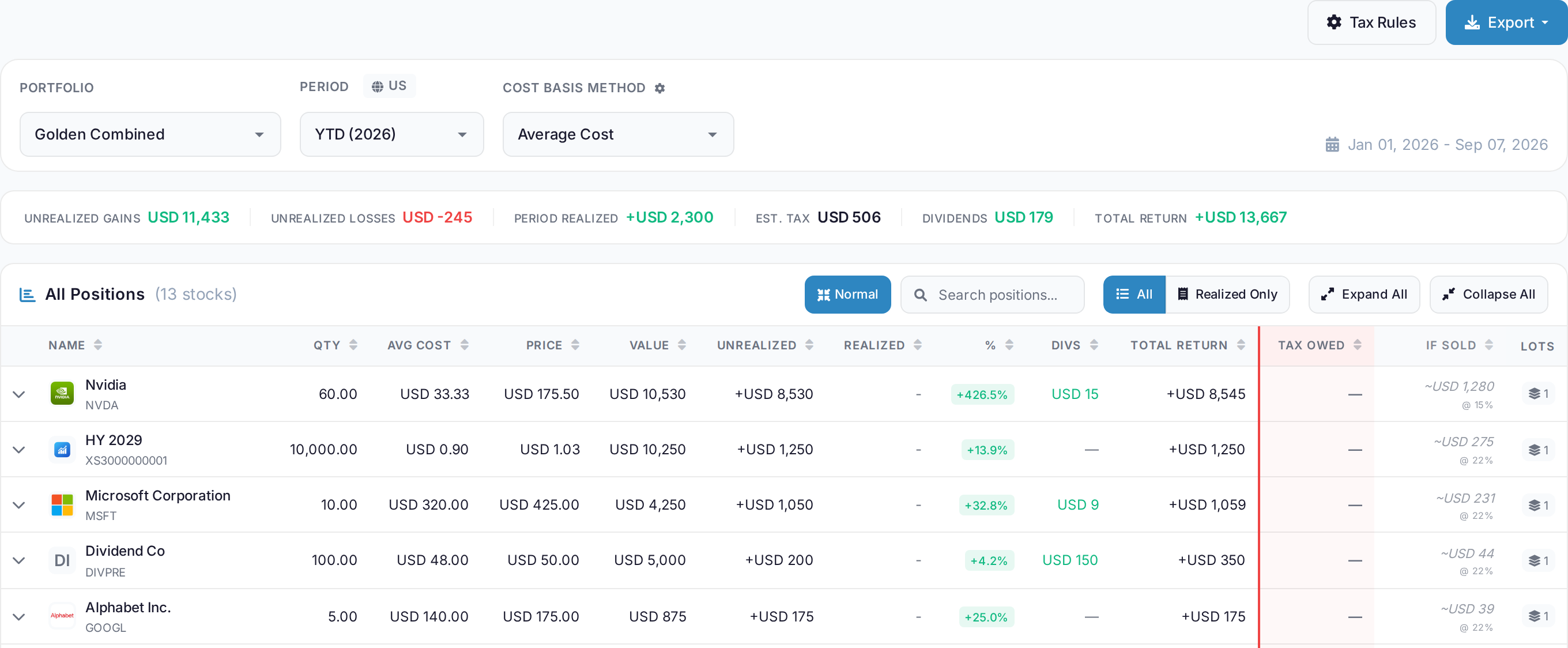 AllInvestView
Choose the tax rules for your country
Commsec investors buying overseas still calculate gains under Australian tax rules.
The tax rules page lists country presets, rates and local rules. Pick the jurisdiction that applies to the portfolio.
See tax rules by country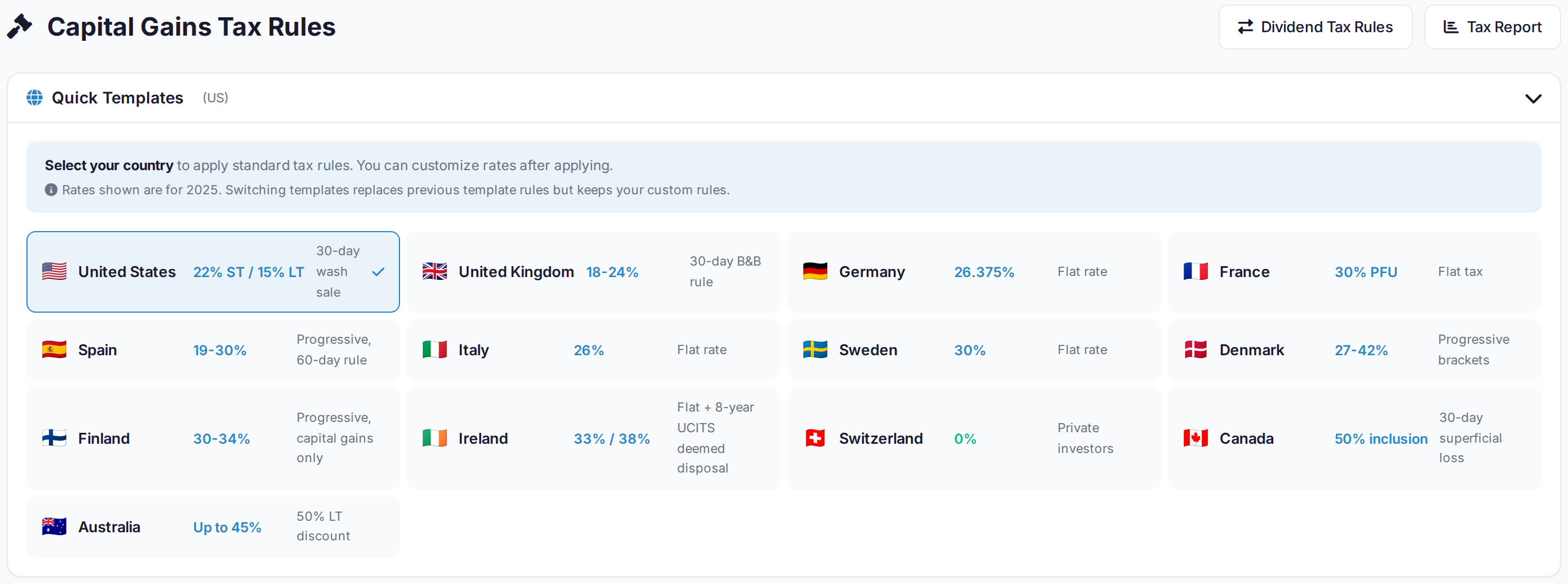 AllInvestView
What Commsec gives you, and what is added here
| Area | Commsec | With AllInvestView |
|---|---|---|
| Performance Analytics | The broker tools include basic portfolio valuation and gain/loss. | The dashboard calculates XIRR and return between chosen dates. |
| Tax Reporting | The broker tools include basic CGT summary for Australian investors. | The tax report supports FIFO, LIFO, HIFO and average cost. |
| Dividend Tracking | The broker tools include basic dividend history and franking credits. | The dividend view shows the calendar, income and yield on cost. |
| Multi-Broker View | The account view covers holdings kept with this broker. | Accounts from several brokers can be viewed together. |
| Risk Analytics | The account report focuses on positions and account activity. | The risk view shows ratios, value at risk and simulations. |
| International Holdings | The broker tools include Separate international trading interface. | Domestic and international holdings can share one portfolio. |
| Bond Analytics | Bonds appear in the account view as positions. | The bond report shows yield, duration, convexity and accrued interest. |
For investors filing in Australia
ASX holdings and anything you own offshore, in Australian dollars, under Australian rules.
The 50 percent CGT discount on assets held over twelve months
Franking credits recorded through your own tax rules
Australian dollars as your base, with global conversion at the rate of the day
Losses carried forward across financial years
Getting your Commsec history in
Export from Commsec
Open Portfolio > Export in CommSec. Download the holdings and transaction history, then upload the file to AllInvestView.
Upload it
The importer reads the column layout on its own, identifies the securities and shows you every row before anything is saved.
Read your portfolio
Prices update daily, and dividends, corporate actions and splits are applied to the history you just brought in. Nothing else to keep up to date by hand.
About Commsec
Commsec and everywhere else you hold something
Most people end up with two or three accounts. Bring them all in and they add up to one portfolio, with one return and one tax report.
Often held alongside Commsec
Every broker with a page here
 Trading 212
 Freetrade
 Revolut
 TradeStation Global
 Zerodha
Once your Commsec history is in



Commsec and AllInvestView, answered
See what your Commsec portfolio has really done
Connect the account read only or upload the file. The return, the dividends and the tax figures are waiting on the other side.
Create a free account