Your Empower dashboard taken further: tax lots per holding, the return between dates and a report you can file from.
Connect Empower read only, or upload your transaction history. You get the return between any two dates, the dividends you were paid and the ones coming, and a capital gains report for your country.
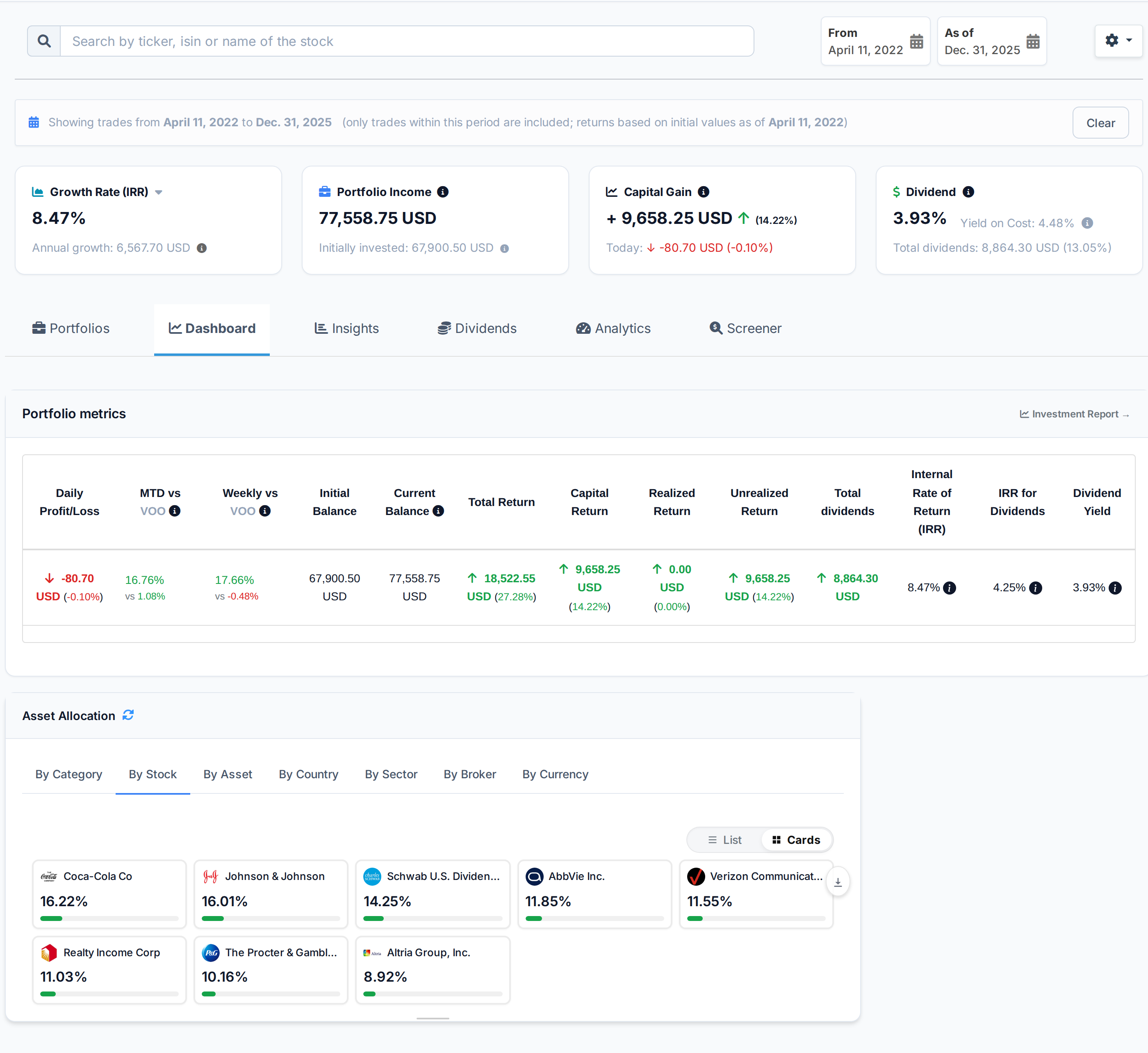
 AllInvestView
What Empower does well
What people like about Empower, and why they stay.
Free financial dashboard with account aggregation and net worth tracking.
Retirement Planner with Monte Carlo simulation and spending analysis.
Investment Checkup tool for fee and allocation analysis.
Wealth management for accounts over USD 100K.
Cash management account with listed APY.
What your broker leaves to you
Your broker is built for trading. The return, the tax figure and the view across accounts are what you get here.
The Empower account shows net worth and allocation, but not transaction-level tax lots and holding returns.
Empower provides trading tools for Stocks and CDs across Individual and Trust in USD. They do not rebuild the whole portfolio on an earlier date.
Empower's Individual and Trust can hold Stocks and CDs. The account view does not place future distributions on a calendar.
What AllInvestView does with your Empower data
See your return between two dates
Empower users often bring together retirement investments that are spread across several funds.
Set a start and end date. The screen shows capital gain, IRR and dividend yield for that period.
See period performance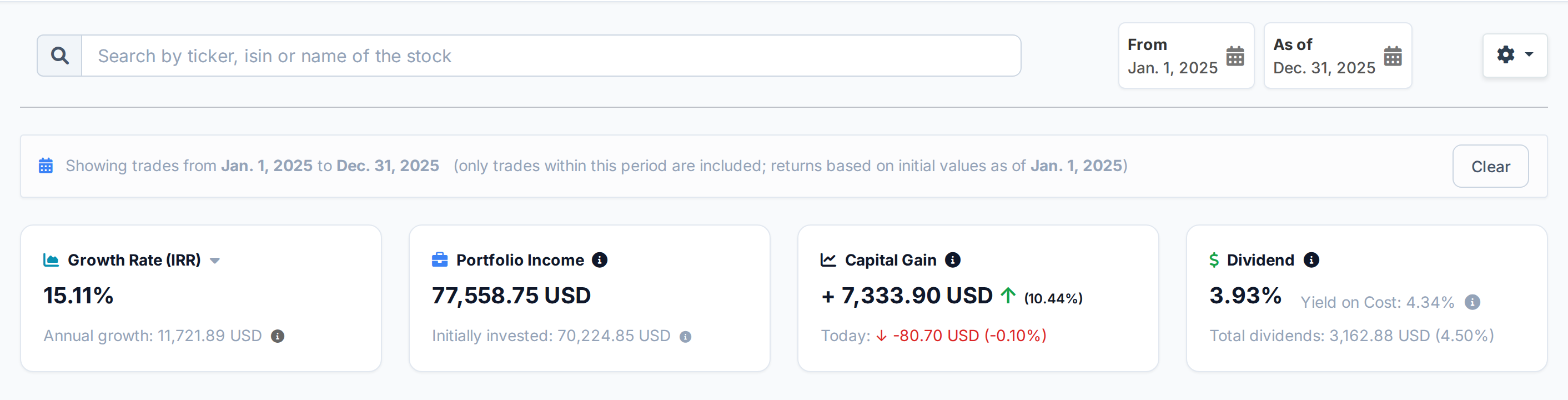 AllInvestView
Trace dividend income from payment to forecast
Income in an Empower portfolio often arrives through fund distributions rather than single stocks.
The report totals gross, withheld and net dividend income. It also shows payment history by company and a 12-month forecast.
Open the dividend report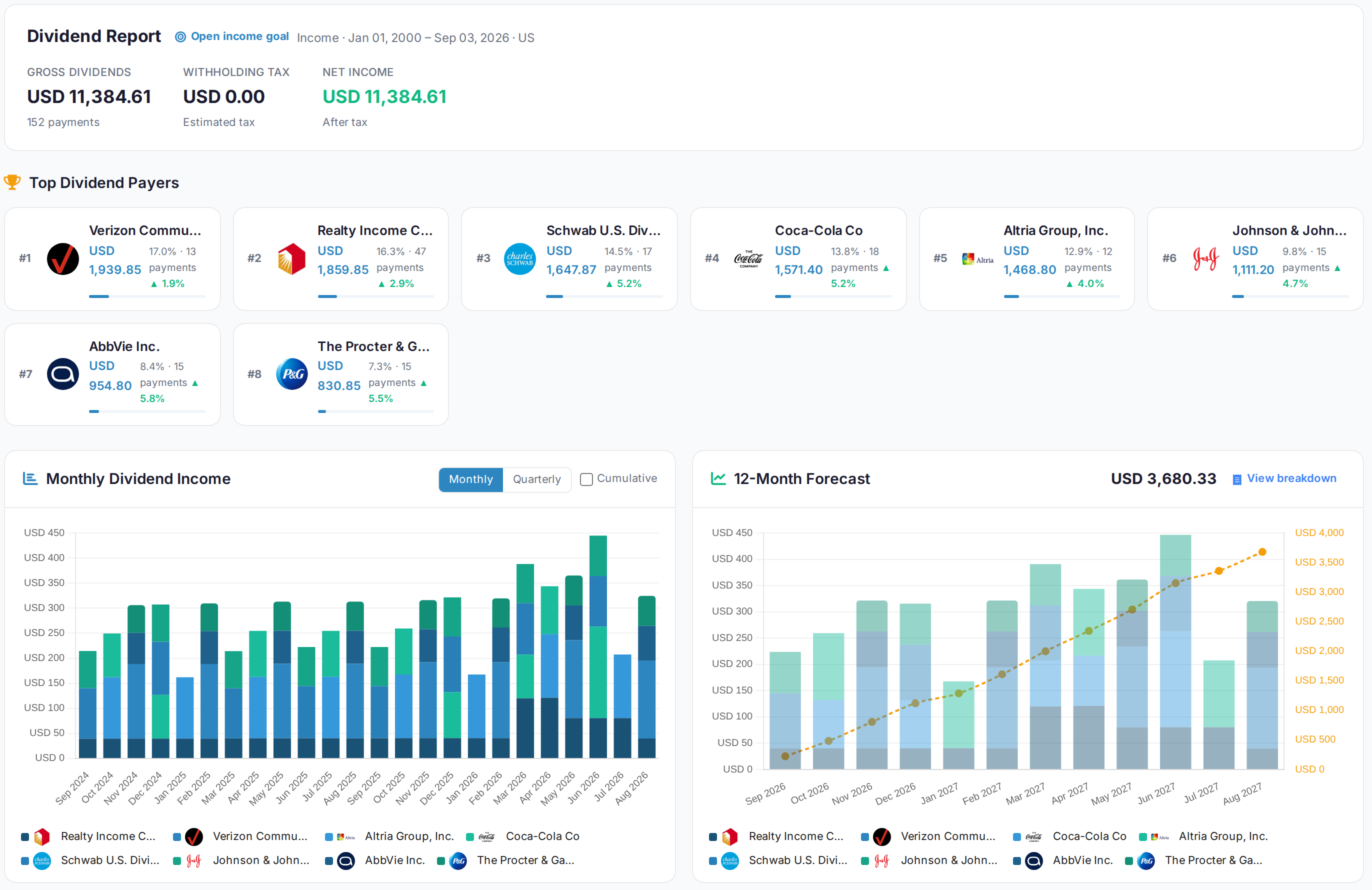 AllInvestView
See what sits inside your funds
Funds shown in Empower can overlap even when their names and allocation labels differ.
Portfolio X-Ray opens each fund and combines repeated underlying holdings. It shows overlap and concentration across the portfolio.
Open Portfolio X-Ray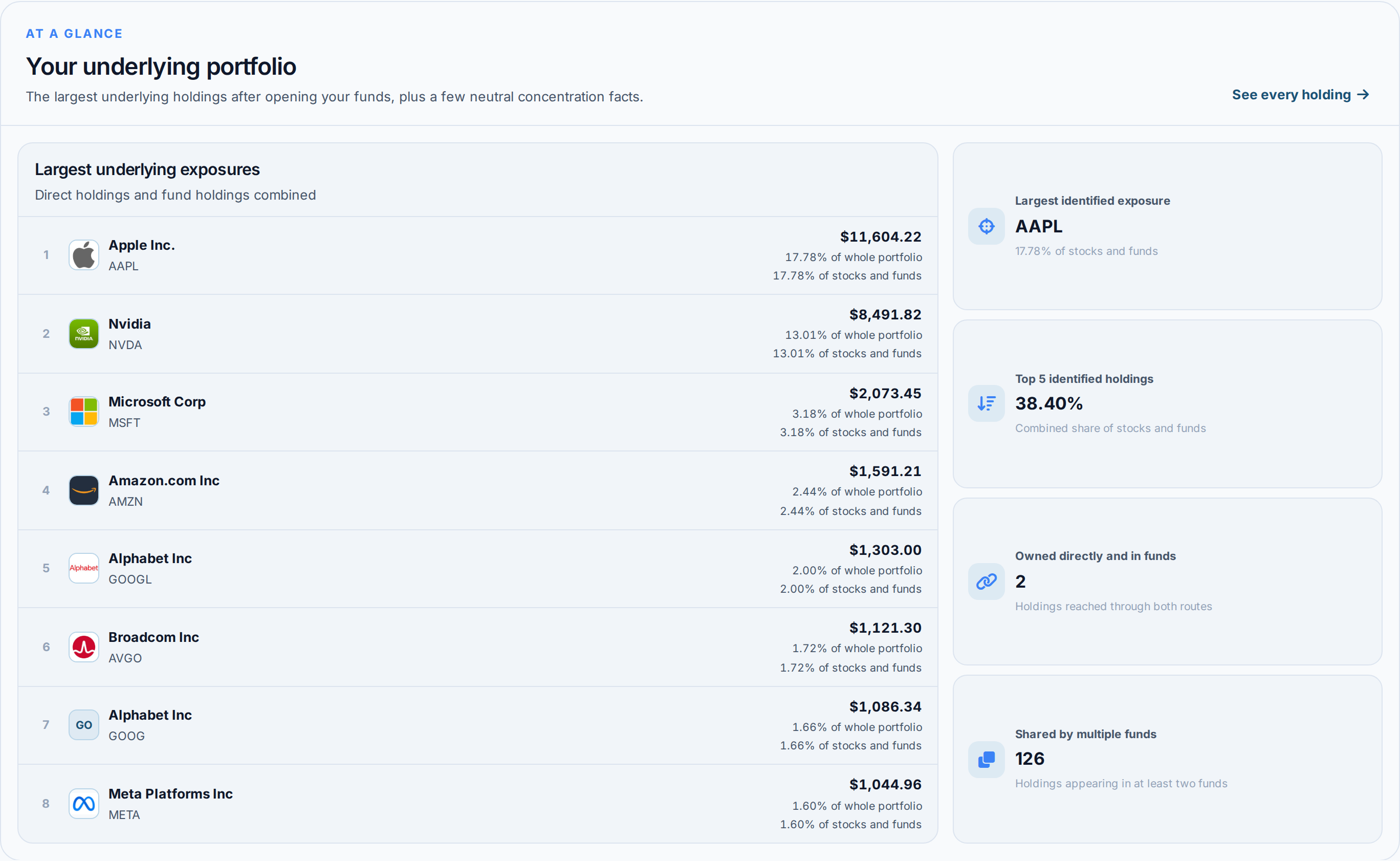 AllInvestView
What Empower gives you, and what is added here
| Area | Empower | With AllInvestView |
|---|---|---|
| Performance Analytics | The broker tools include Portfolio return tracking with basic charts. | The dashboard calculates XIRR and return between chosen dates. |
| Tax Reporting | The statement supplies transactions for a separate tax calculation. | The tax report supports FIFO, LIFO, HIFO and average cost. |
| Retirement Planning | The broker tools include retirement planner with Monte Carlo. | Retirement accounts can be measured with the other investments. |
| Dividend Tracking | The broker tools include basic income display in dashboard. | The dividend view shows the calendar, income and yield on cost. |
| Multi-Broker View | The broker tools include Account aggregation with balances and allocation. | Accounts from several brokers can be viewed together. |
| Fee Analysis | The broker tools include Investment Checkup for hidden fund fees. | Dated returns include imported costs. |
| Bond Analytics | The broker tools include basic bond holdings display. | The bond report shows yield, duration, convexity and accrued interest. |
| AI Analysis | The account tools focus on brokerage activity. | The assistant can read and explain the portfolio. |
For investors filing in the United States
Your Empower history turns into a capital gains report you can take to Schedule D.
Short term and long term split, so the two rates land where they belong
Wash sales flagged inside the 30 day window, across every account you hold here
FIFO, LIFO, HIFO and average cost, compared side by side before you sell
The 3,000 USD annual loss deduction applied the way the rules apply it
Getting your Empower history in
Export from Empower
In AllInvestView, open Sync Brokers and choose Empower. Complete the read-only connection.
Upload it
The importer reads the column layout on its own, identifies the securities and shows you every row before anything is saved.
Read your portfolio
Prices update daily, and dividends, corporate actions and splits are applied to the history you just brought in. Nothing else to keep up to date by hand.
About Empower
Empower and everywhere else you hold something
Most people end up with two or three accounts. Bring them all in and they add up to one portfolio, with one return and one tax report.
Often held alongside Empower
Every broker with a page here
 Trading 212
 Freetrade
 Revolut
 TradeStation Global
 Zerodha
Once your Empower history is in


Empower and AllInvestView, answered
See what your Empower portfolio has really done
Connect the account read only or upload the file. The return, the dividends and the tax figures are waiting on the other side.
Create a free account