Your Capital.com results next to the investments you own, with one return and one tax figure.
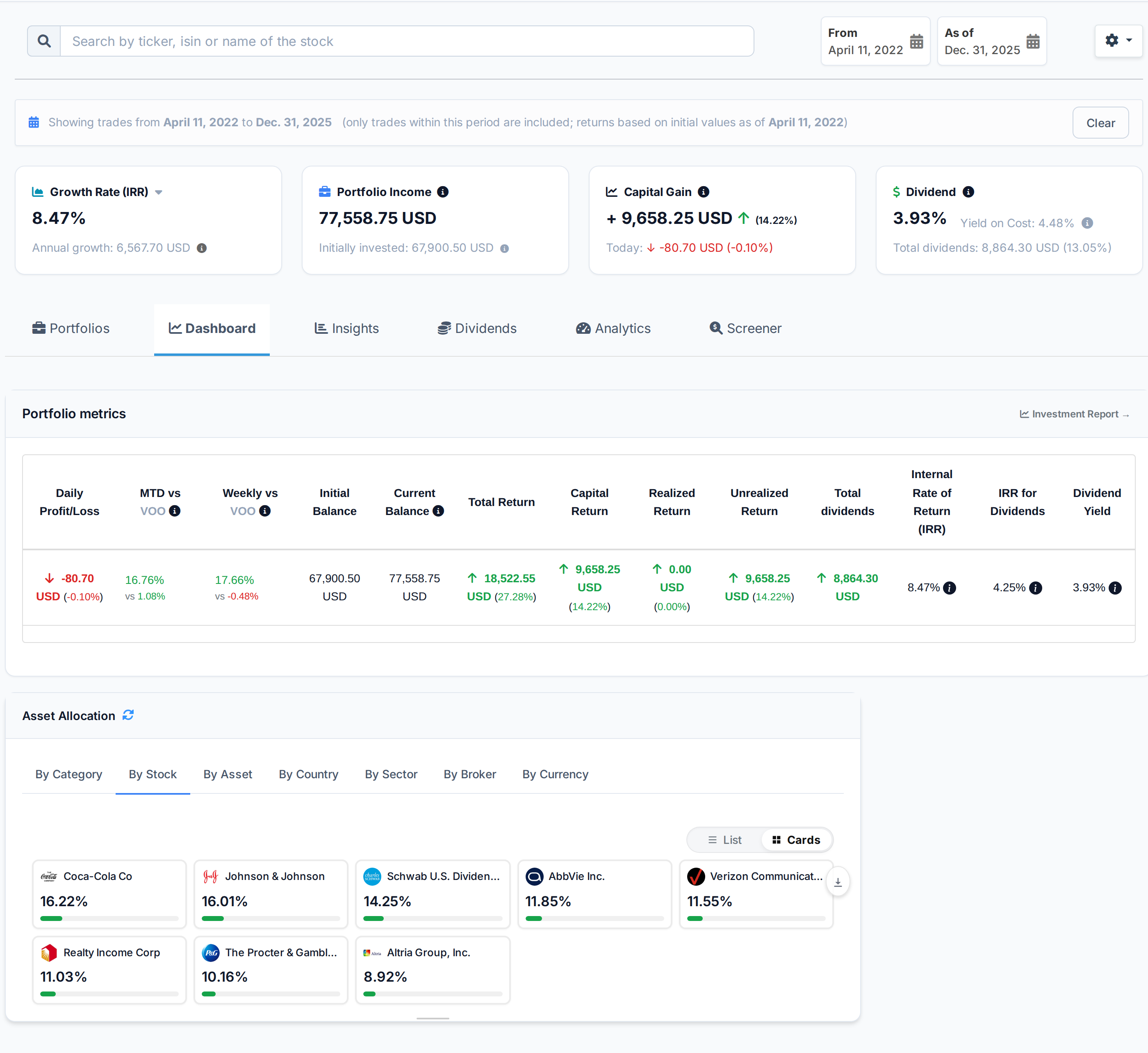
Upload your Capital.com transaction history. You get the return between any two dates, the dividends you were paid and the ones coming, and a capital gains report for your country.
 AllInvestView
What Capital.com does well
What people like about Capital.com, and why they stay.
Trading insights and behavioral analytics.
Access to 6,000+ markets with listed spreads.
Educational content and trading guides.
TradingView integration for charting.
Negative balance protection on all accounts.
What your broker leaves to you
Your broker is built for trading. The return, the tax figure and the view across accounts are what you get here.
The Capital.com account reports trading activity, not the tax figure or return across other accounts.
Capital.com keeps Individual and Invest (select markets) among its 3 account types with CFDs on Stocks and ETFs among 6 asset types in USD and PLN. Holdings at another broker are outside that total.
Capital.com statements cover CFDs on Stocks, Forex, Commodities, Indices, Crypto and ETFs in USD and PLN for Individual and Invest (select markets). They do not compare tax lots under several cost-basis methods.
What AllInvestView does with your Capital.com data
Review every row before you import it
A Capital.com history is often a sequence of CFD trades rather than a set of long-held shares.
Upload the transaction file and review the mapped columns and rows. Nothing is added until you confirm the import.
Review a file import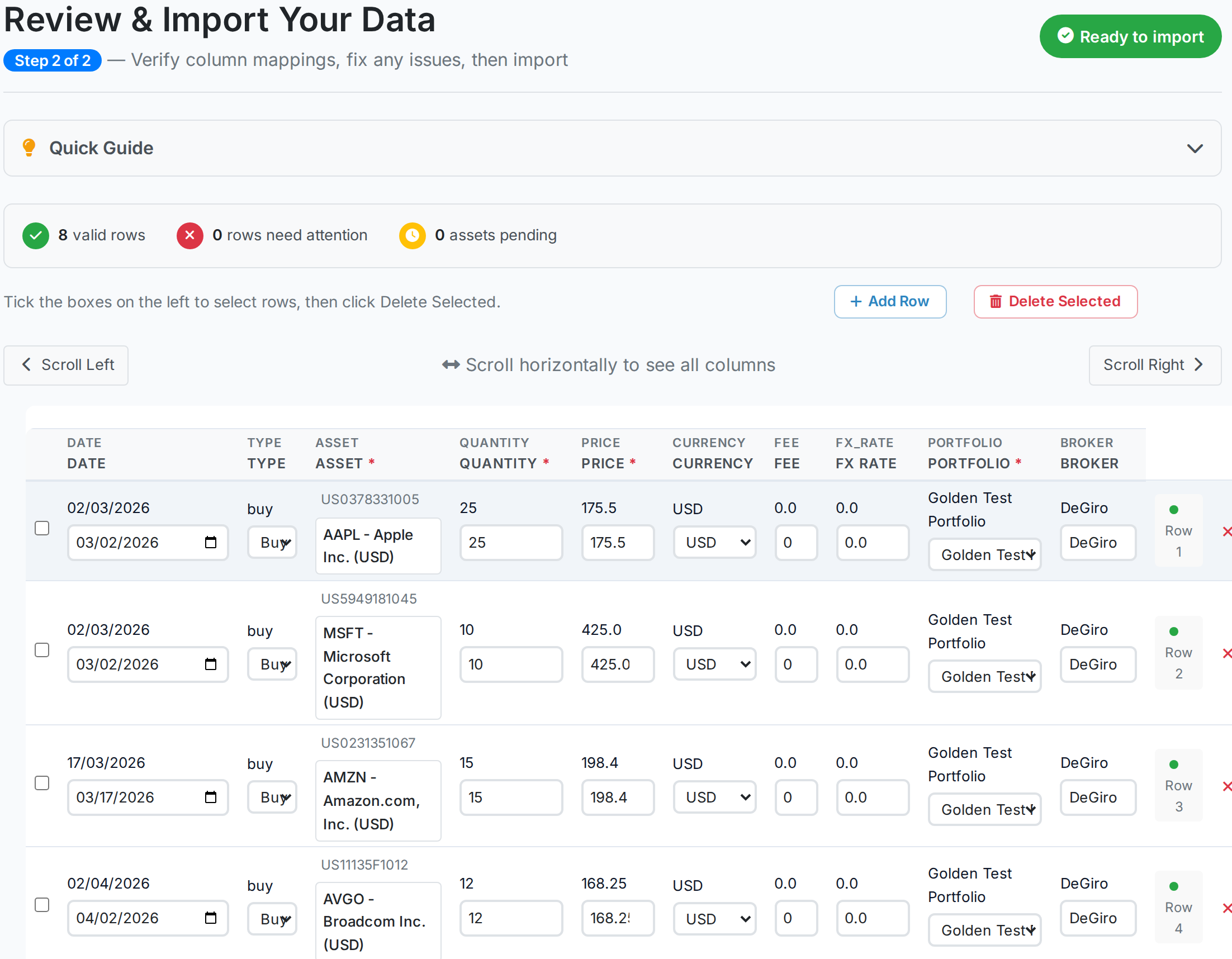 AllInvestView
See how each sale changes your tax
A Capital.com file can contain many closed positions whose results need one tax record.
Choose FIFO, LIFO, HIFO or average cost. The report shows realized gains, unrealized gains, dividends and estimated tax.
Open the tax report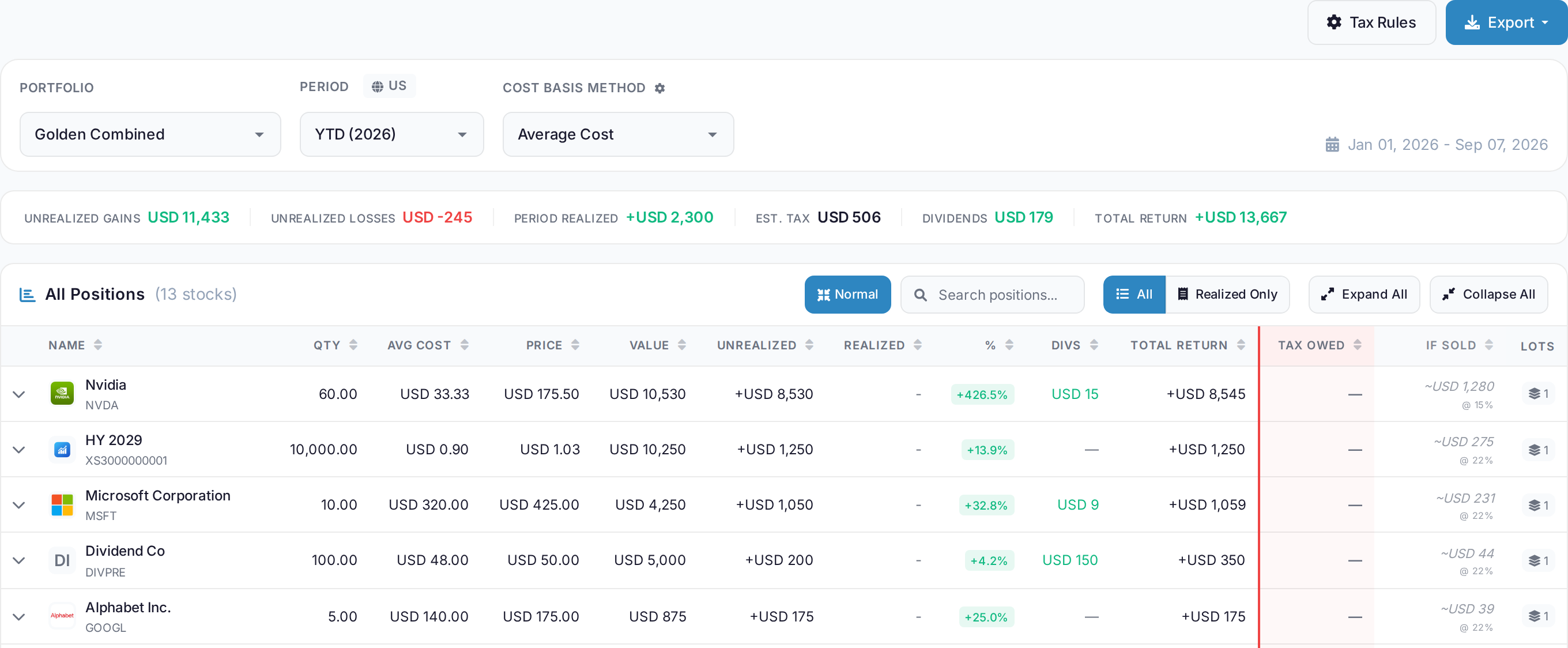 AllInvestView
Choose the tax rules for your country
Capital.com customers trade globally but report under the rules where they live.
The tax rules page lists country presets, rates and local rules. Pick the jurisdiction that applies to the portfolio.
See tax rules by country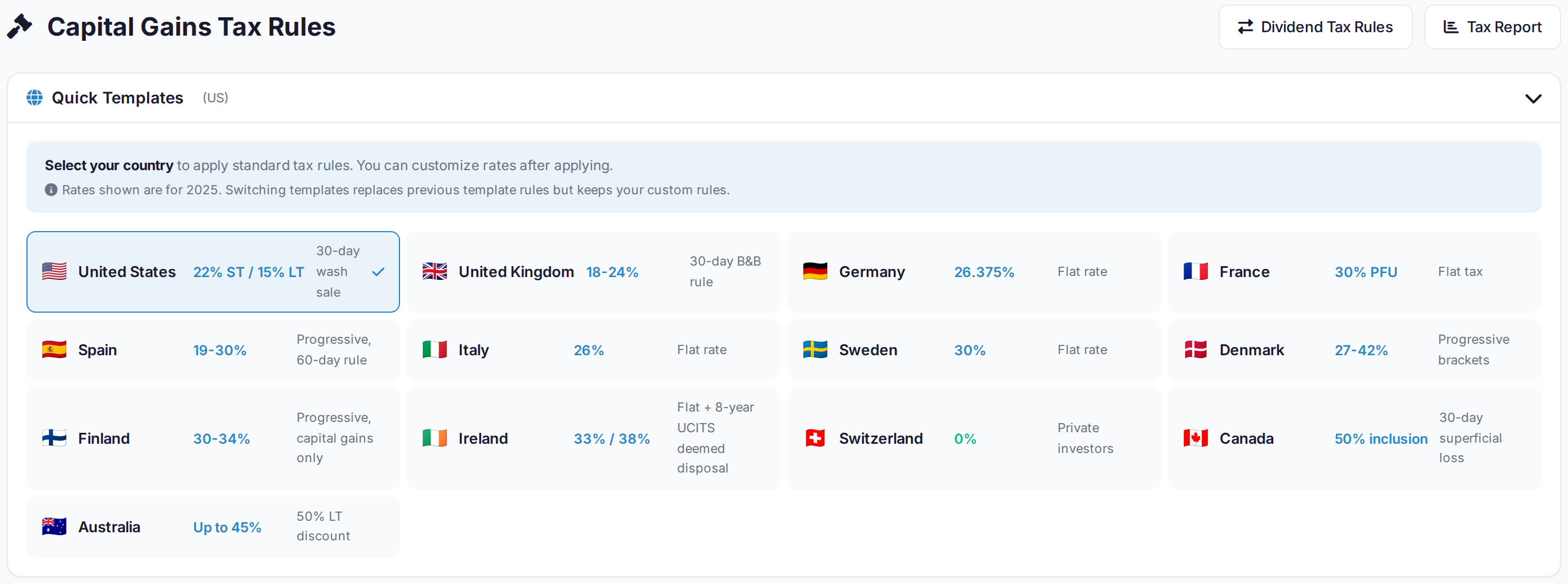 AllInvestView
What Capital.com gives you, and what is added here
| Area | Capital.com | With AllInvestView |
|---|---|---|
| Performance Analytics | The broker tools include real-time P&L with AI sentiment analysis. | The dashboard calculates XIRR and return between chosen dates. |
| AI Insights | The broker tools include Proprietary AI for trading signals and behavioral analysis. | The dashboard shows allocation, return and risk. |
| Tax Reporting | The broker tools include basic account statement for trades. | The tax report supports FIFO, LIFO, HIFO and average cost. |
| Multi-Broker View | The account view covers holdings kept with this broker. | Accounts from several brokers can be viewed together. |
| Dividend Tracking | CFD positions receive cash adjustments rather than dividends. | The dividend view shows the calendar, income and yield on cost. |
| Risk Analytics | The broker tools include Negative balance protection and margin alerts. | The risk view shows ratios, value at risk and simulations. |
For investors filing in the United Kingdom
ISA, SIPP and a general account are separate portfolios, and the tax report follows the UK rules.
Sterling as your base currency, with everything foreign converted at the rate of the day
Bed and breakfast handled on the 30 day rule
The annual exemption applied before the rate
Dividend income separated from gains, with the withholding already taken off
Getting your Capital.com history in
Export from Capital.com
Open Reports > Transaction History in Capital.com. Choose the date range, export the CSV, then upload it to AllInvestView.
Upload it
The importer reads the column layout on its own, identifies the securities and shows you every row before anything is saved.
Read your portfolio
Prices update daily, and dividends, corporate actions and splits are applied to the history you just brought in. Nothing else to keep up to date by hand.
About Capital.com
Capital.com and everywhere else you hold something
Most people end up with two or three accounts. Bring them all in and they add up to one portfolio, with one return and one tax report.
Every broker with a page here
 Trading 212
 Freetrade
 Revolut
 TradeStation Global
 Zerodha
Once your Capital.com history is in



Capital.com and AllInvestView, answered
See what your Capital.com portfolio has really done
Upload your transaction history. The return, the dividends and the tax figures are waiting on the other side.
Create a free account